Regex Tester & Generator
Test, Generate, and Debug Regular Expressions Online
About This Tool
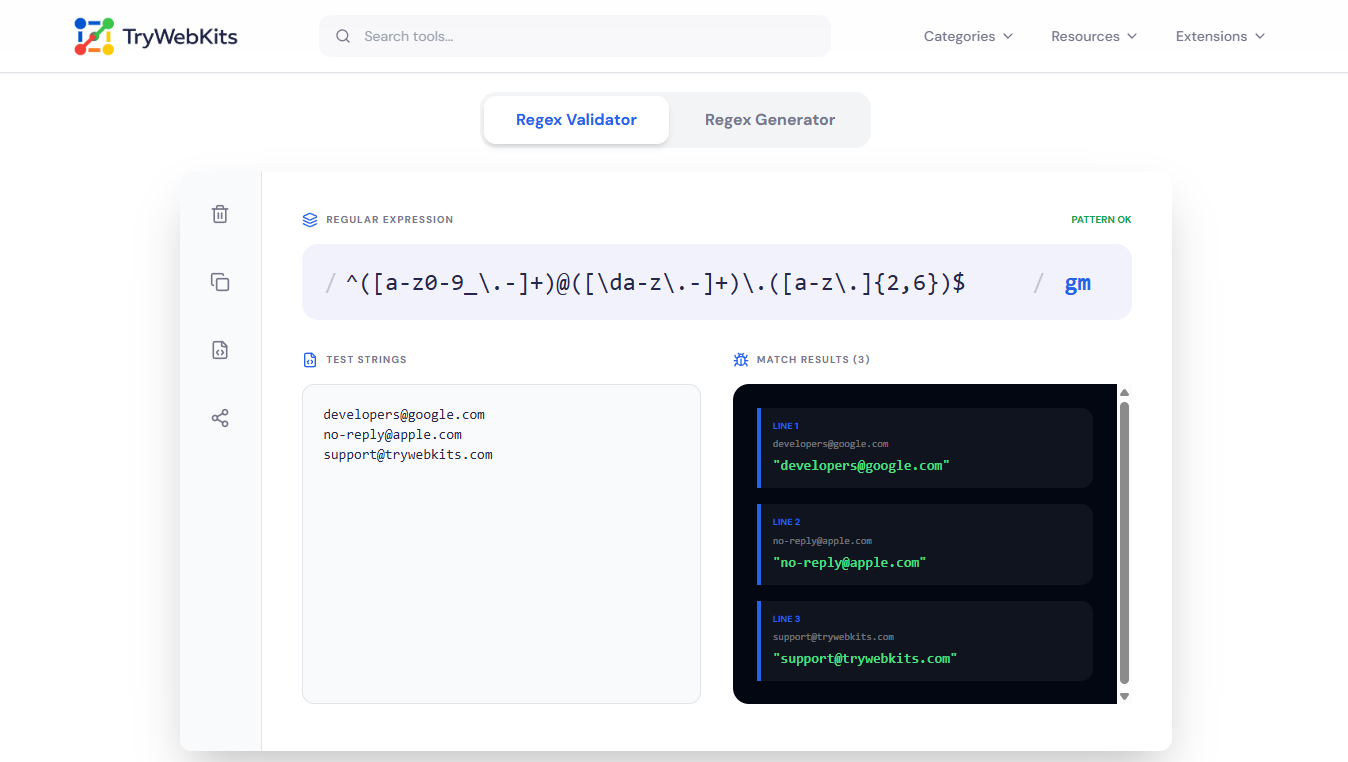
Welcome to the free Regex Tester & Generator, an online tool for developers to test regular expressions, generate regex patterns, and debug regex matches in real time. This regex tester online supports JavaScript, Java, Python, C#, PHP, and Golang regex syntax.
The tool helps build regex from scratch or generate regex from sample text, reducing trial and error. It also validates patterns for grep, log filtering, and text processing, ensuring regex works correctly before deployment in scripts or production code. Whether you’re debugging a small regex or working on a long pattern, this Regex Checker / Regex Validator makes it easier.
How to Use the Regex Tester & Generator?
Follow these steps to test, generate, or validate regex patterns:
- 1
Enter a regex pattern or sample text for instant live matching and validation.
- 2
Generate regex patterns automatically from provided example strings or sample text.
- 3
Select specific regex flavors like JavaScript, Python, or Java for accurate syntax.
- 4
Debug and validate patterns step-by-step using the interactive regex debugger panel.
Common Regex Uses & Examples
Here is a breakdown of common regex patterns used in development, data cleaning, and validation:
| Use Case | Regex Pattern | Example Match |
|---|---|---|
| Email Validation | ^[a-zA-Z0-9._%+-]+@[a-zA-Z0-9.-]+\.[a-zA-Z]{2,}$ | support@trywebkits.com |
| Strong Password | ^(?=.*[a-z])(?=.*[A-Z])(?=.*\d)(?=.*[@$!%*?&])[A-Za-z\d@$!%*?&]{8,}$ | ReGexT3st! |
| IPv4 Address | ^((25[0-5]|2[0-4][0-9]|[01]?[0-9][0-9]?)\.){3}(25[0-5]|2[0-4][0-9]|[01]?[0-9][0-9]?)$ | 8.8.8.8 |
| Date (YYYY-MM-DD) | ^((18|19|20)[0-9]{2}[-.](0[13578]|1[02])[-.](0[1-9]|[12][0-9]|3[01]))|(18|19|20)[0-9]{2}[-.](0[469]|11)[-.](0[1-9]|[12][0-9]|30)|(18|19|20)[0-9]{2}[-.](02)[-.](0[1-9]|1[0-9]|2[0-8])|(((18|19|20)(04|08|[2468][048]|[13579][26]))|2000)[-.](02)[-.]29$ | 2024-01-26 |
| URL Matching | ^https?:\/\/(?:www\.)?[-a-zA-Z0-9@:%._\+~#=]{1,256}\.[a-zA-Z0-9()]{1,6}\b(?:[-a-zA-Z0-9()@:%_\+.~#?&//=]*)$ | https://trywebkits.com/ |
| Username | ^[a-zA-Z0-9](?:[a-zA-Z0-9._-]{1,14}[a-zA-Z0-9])?$ | Tryweb.K1ts |
| Hex Color Code | ^#(?:[0-9a-fA-F]{3}){1,2}$ | #26274b |
| Phone Number (Intl) | ^\+?[1-9]\d{1,14}$ | +10123456789 |
Why Use Our Regex Tester & Generator?
Engineered for accuracy and speed across all programming environments.
Instant Regex Testing
Test your regular expressions against sample text with live highlighting of matching parts.
Regex Pattern Library
Use ready regex patterns for emails, passwords, dates, and URLs.
Multi-Language Regex Support
Works for JavaScript, Java, Python, C#, PHP, Golang, and more.
Regex Debugger
Understand how your regex works by breaking down the pattern step by step.
Ask & Explore
Select the JavaScript flavor in the regex tester, enter your pattern and sample text to validate browser-compatible regex behavior.
Use the regex builder like ours to manually craft patterns or the AI to create them automatically from sample text for immediate testing.
Use a backslash \ to escape characters like ., ?, +, *, (, ), and [ ].
Greedy matching captures the longest possible text, while lazy matching captures the shortest possible text. This is controlled by quantifiers, adding ? after *, +, or ? makes them lazy. Example: With pattern a.*b on text axbxb, greedy returns axbxb. Lazy pattern a.*?b returns axb.
