Deep Work Timer
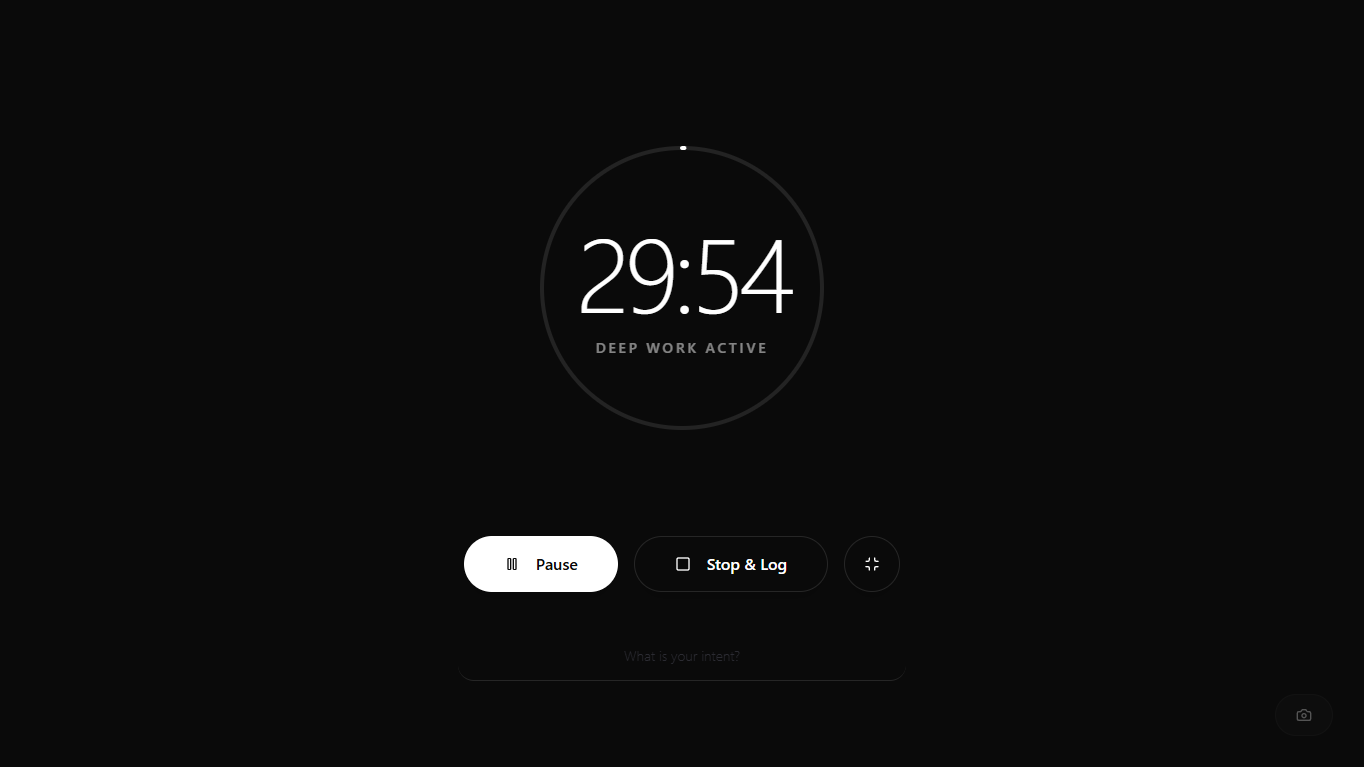
The Deep Work Timer is a minimalist online focus timer designed to aid absolute concentration. It operates entirely within the browser to track work sessions and study intervals without distractions. Users can set a countdown timer for up to 1080 minutes to manage daily tasks efficiently. The interface features fluid progress tracking and ambient theme options like Midnight, Frost, and Abyss. Whether studying, writing, or coding, this tool creates a structured environment for deep concentration.
How to Use the Deep Work Timer?
Follow these simple steps to structure a focused work session:
- 1
Set the target focus duration, such as a standard 30-minute study timer.
- 2
Type a specific session intent or task name to categorize the upcoming block.
- 3
Click the start button to initiate the precision countdown and begin focusing.
- 4
Enter the full screen mode to hide browser tabs and eliminate visual distractions.
- 5
Stop the session to automatically save the exact elapsed time to the ledger.
Key Features
The Deep Work Timer includes everything needed for distraction-free sessions
Immersive Fullscreen Mode
Hides all system menus and browser tabs to ensure complete visual isolation.
Secure Local Analytics
Stores all session data and history securely within the local browser storage.
Intent Distribution Charts
Generates visual pie charts categorizing time spent on different specific task intents.
Ambient Themes
Offers Midnight, Frost, and Abyss color schemes to match personal preference and reduce eye strain.
Data Export Capability
Allows downloading the entire session ledger as a standard JSON data file.
Image Capture Utility
Captures and saves a high-quality screenshot of the active focus timer screen.
Why Use Our Tool?
The Deep Work Timer offers advantages beyond basic timing:
Adaptive Time Tracking
Modifying targets mid-session maintains precise tracking, functioning as a reliable time management timer.
Instant Data Restoration
Upload past focus history files to recover any previous study session timer records.
Fluid Visual Interface
A smooth circular progress indicator minimizes cognitive load, making it an ideal adhd timer clock.
Typography Profile Control
Select premium typefaces like JetBrains Mono to personalize this productivity timer online.
Common Queries
The maximum focus target can be configured up to 1080 minutes, which equals exactly 18 hours.
Any session lasting under 60 seconds is automatically discarded to keep the history ledger clean.
Yes, the environment layer allows uploading any local image file to override the default aesthetic background.
An optional sound plays and the display shows that the session has ended, allowing users to take a break or start another session.
Absolutely. Multiple people can synchronize their work intervals by starting the timer simultaneously on their respective devices.