WebM To MP4 Converter
 WebM To MP4 Converter
Convert WebM videos to MP4 online for free, with quality options.
Videos are converted on this device and never uploaded to any server.
About This Tool
WebM is a common format for screen recordings, browser captures, and clips saved from websites, yet many video editors and older players do not open it directly. This WebM to MP4 Converter turns a WebM file into an MP4 video with no account to create.
The output is normally an MP4 file that uses H.264 for the picture and AAC for the sound, a combination that is very widely compatible. Typical uses include sharing a screen recording, adding a clip to a video editor, or uploading a capture to a site that rejects the WebM format.
How To Convert WebM To MP4?
Changing the WebM format to MP4 takes only a few clicks.
- 1
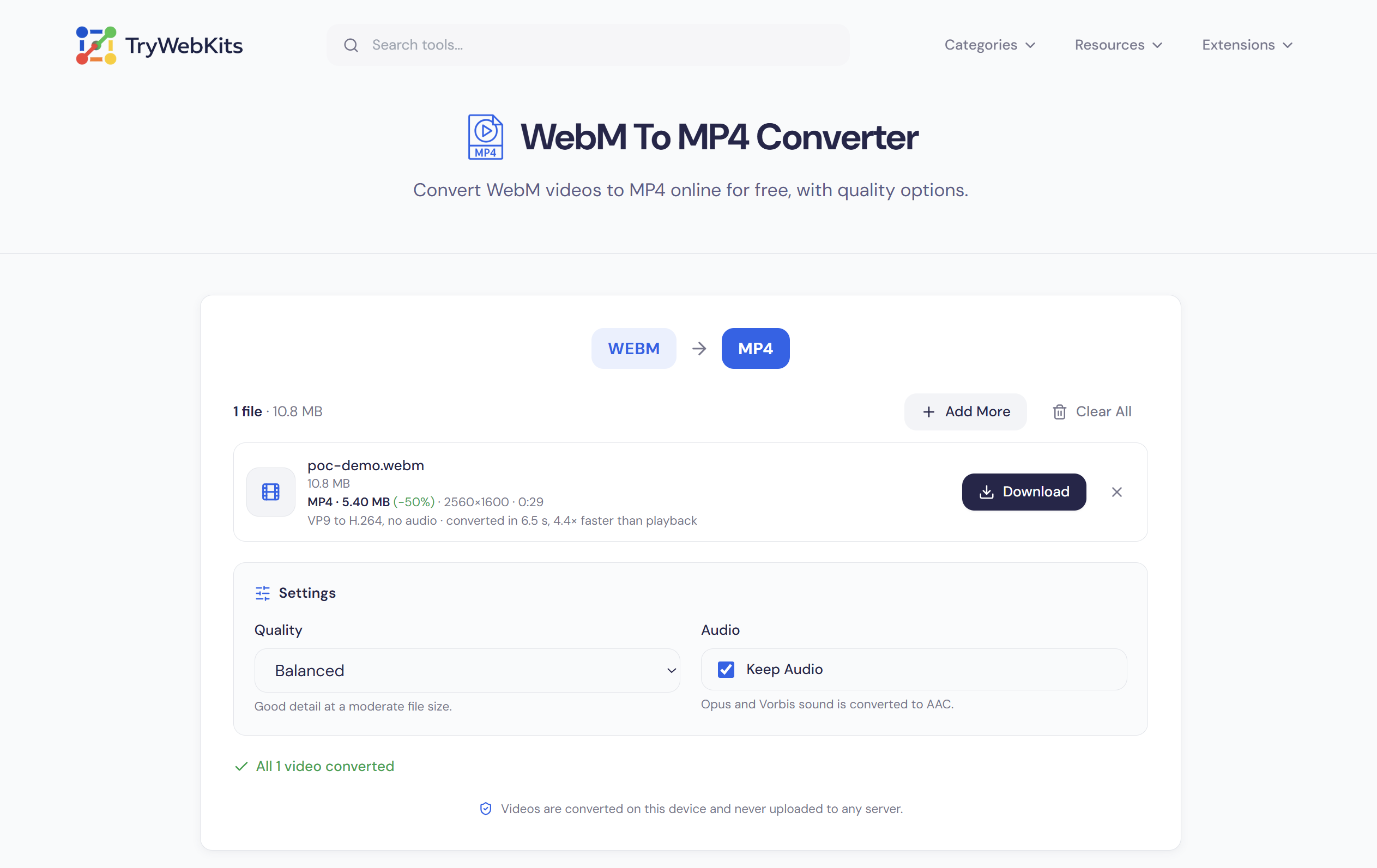
Press Select Files or drag WebM videos onto the converter to add them.
- 2
Choose Smaller File, Balanced, or High Quality, and decide whether to keep the audio.
- 3
Press Convert and watch the progress bar, which shows how fast the work is going.
- 4
Check the new file size beside each video when the conversion finishes.
- 5
Press Download to save each MP4 file, then clear the list to start another batch.
How This WebM To MP4 Converter Works?
Each WebM file is read frame by frame, decoded, and encoded again for MP4, a step also called transcoding. The sound goes through the same steps, and both streams are then packed into one MP4 file.
When a WebM already holds H.264 video, as in some browser recordings, the frames are copied as they are instead of being encoded again, which is almost instant.
Videos Never Leave The Device
Recordings, meetings, and personal clips are converted inside the browser, so nothing is uploaded to TryWebKits or any other server. Titles and tags stored in the WebM are not copied, and nothing is stored once the tab closes.
Features Of This WebM To MP4 Converter
Fast processing, flexible quality, and simple controls.
Fast Conversion
The browser's video codecs and graphics hardware do the work, so processing usually outruns playback.
Cancel Anytime
A running batch can be stopped at once, and finished videos stay ready to download.
Batch Conversion
Several WebM files are converted one after another in a single run, ready to download.
Quality Choice
Three presets trade file size against detail, from Smaller File up to High Quality.
Audio Included
Opus and Vorbis sound becomes AAC, or can be removed with one switch.
Quick Start Files
The index is written first, so finished MP4 files start playing without a long wait.
Frequently Asked Questions
Some detail can be lost, because most videos are encoded again as H.264, a lossy format. The High Quality preset keeps the difference hard to notice.
WebM codecs such as VP9 usually compress more efficiently than H.264. The Smaller File preset narrows the gap, at the cost of some detail.
No, both stay as recorded, apart from an odd width or height being rounded down by one pixel.
Recent Chrome and Edge on a computer are the most reliable. Other browsers and phones need WebCodecs support, and the page shows a notice when it is missing.
Up to 2 GB per file and ten files per batch, with no daily limit. Very large videos need enough free memory, since the MP4 is built in the browser.
No, the converter needs no extra software, plugin, or command line, only a supported browser.
No, renaming only changes the extension, so the file is still WebM inside, and many apps reject it.
The row shows the reason, such as an unsupported codec or a damaged file. Recordings that were cut short convert as far as they go.
You May Also Like

Video Compressor Online
Reduce video file size quickly without losing quality for faster sharing and uploading.

Video To GIF Converter
Convert videos to GIFs quickly. Add watermark, text, crop, and adjust frame rates.

Video Background Remover
Remove or replace any video background for free, online with no watermark.

EXIF Data Viewer
Extract GPS location, camera settings, timestamps, and all metadata from photos and videos. Privacy scanner included!

Image to GIF Converter
Convert Images into a high-quality GIF. Arrange frames, add watermark, text, and adjust speed.