Image to GIF Converter
Create high-quality animated GIFs by combining JPG, JPEG, PNG, WebP, and SVG images with customizable frame order, timing, and output settings.
Upload Image Sequence
Drag and drop multiple images or click the button below to browse your device.
Sequence Settings
About This Tool
The Image to GIF converter is a simple online tool that turns regular photos into moving animations. It combines standard picture files into a looping sequence without requiring any software downloads. Everything works directly inside the web browser. Users have full control to adjust the animation speed, resize the final image, and add visual effects. All file processing happens safely on the device itself, keeping files private. It provides a fast, straightforward way to convert pictures to animated GIF files for presentations, digital banners, or photo slideshows.
Output Quality And File Size Settings
The size and clarity of your final moving picture (GIF) are based entirely on the settings you choose. If you want a small file that's easy to share and loads fast, use the quality slider (from 1 to 10) to find a good balance between how clear the image looks and how big the file is. Making the quality lower results in a smaller file size. You can also make the GIF physically smaller than your original pictures by choosing standard widths like 1024px, 800px, or 480px. For the smallest, most efficient GIF, choose a lower quality, a smaller size, and use fewer pictures (a lower frame count) in your animation.
Steps To Create An Animated GIF From Images
Make a GIF easily with these steps
- 1
Pick Your Photos: Drag and drop the pictures you want to use into the tool.
- 2
Set the Order: Slide your images left or right to choose which one appears first.
- 3
Pick the Speed: Use the slider to make the animation play faster or slower.
- 4
Save and Download: Hit the create button to get your finished moving animation.
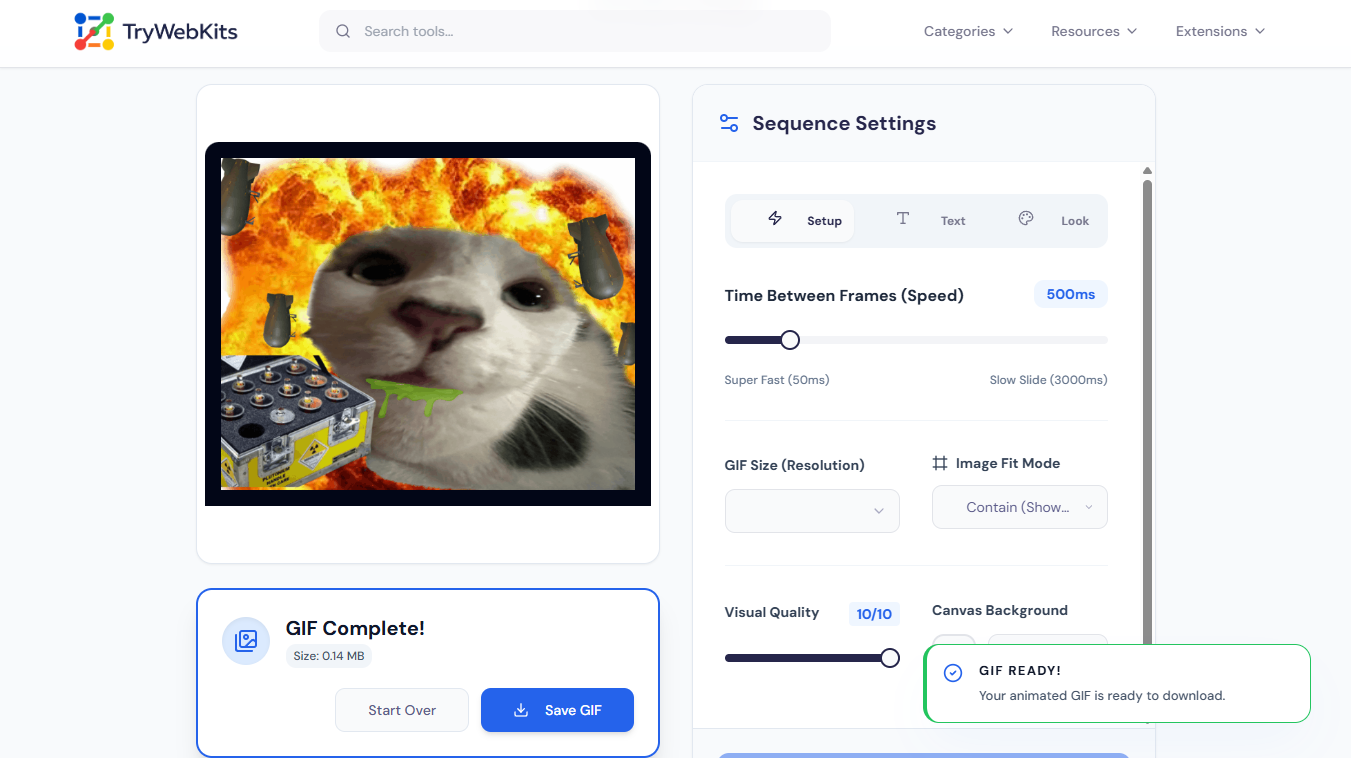
See How Easy It Is
Learn to create your animated GIF in just 23 seconds
Core Features Of The Image To GIF Maker
These features make turning images into GIFs quick and smooth
Universal Format Support
Mix and convert JPG to animated GIF alongside PNGs and WebPs.
Visual Color Filters
Adjust brightness, contrast, saturation, or apply grayscale and blur to individual frames.
Smart Canvas Fit
Choose to contain, cover, or stretch images to fit the selected output dimensions.
Orientation Controls
Flip the entire visual sequence horizontally or vertically before rendering the final animation.
Custom Background Colors
Apply specific hex color codes behind transparent images to maintain visual consistency.
Memory Management
Safely handles large sequence uploads without crashing or slowing down the active browser tab.
Why Use Our Image To GIF Converter?
Discover the main practical benefits of choosing our efficient online tool.
Zero Software Required
Avoid downloading heavy desktop editing programs just to compile a simple moving animation.
Cross-Device Compatibility
Functions flawlessly on desktop computers, laptops, tablets, and modern mobile web browsers alike.
Instant Visual Feedback
Preview the layout and image order immediately before starting the final rendering process.
No Watermarks Added
Generate clean, professional animations without forced branding logos or required premium subscription upgrades.
Data Security
Your privacy is protected. All work to create your GIF is done directly on your own device, in your web browser. This means your uploaded photos are never sent over the internet, processed, or stored on our remote servers. The files stay completely private, and all temporary data is instantly deleted from your device as soon as you close the browser tab.
Answers to Common Questions
The exact number depends on device memory. Most modern devices comfortably handle sequences of 50 to 100 images without experiencing any noticeable performance degradation or lagging issues.
Yes. If the source files are transparent PNGs or SVGs, the final output will maintain that transparency unless a solid background color is manually applied during setup.
Extremely high-resolution images or excessively long sequences can cause playback lag. To resolve this, try reducing the output resolution to 800px or 480px before generating the file.
Yes. Since no watermarks are applied and the utility relies entirely on the uploaded source files, all generated animations are completely free for personal or commercial use.
You May Also Like
Video To GIF Converter
Convert videos to GIFs quickly. Add watermark, text, crop, and adjust frame rates.

Video Compressor Online
Reduce video file size quickly without losing quality for faster sharing and uploading.

Image Compressor and Resizer
Reduce image size and resize photos quickly without losing quality.
