Video To GIF Converter
Turn MP4, MOV, and other video formats into high-quality GIFs. Add custom text, reverse playback, and visual filters.
Drop Video File Here
Supports MP4, MOV, WEBM
GIF Settings
Video To GIF Converter
Our Video to GIF Converter is the easiest way to turn your favorite video clips into high-quality GIFs right in your browser. Whether you want to make a viral meme, a quick reaction for your group chat, or a looping highlight from your latest game, you can do it all without downloading any clunky software. Just trim your clip, add some custom text, and you're good to go. Everything happens locally on your device, which means it's super fast and your files stay private. It's the ideal tool for creators, gamers, marketers and anyone who wants to make professional-looking GIFs in seconds.
How to Make A GIF From A Video?
Follow these four simple steps:
- 1
Pick your video file from your computer or phone.
- 2
Choose the start and end point of the clip you want to keep.
- 3
Add your text and click create to save your new GIF!
- 4
Save the finished file directly to the local device storage.
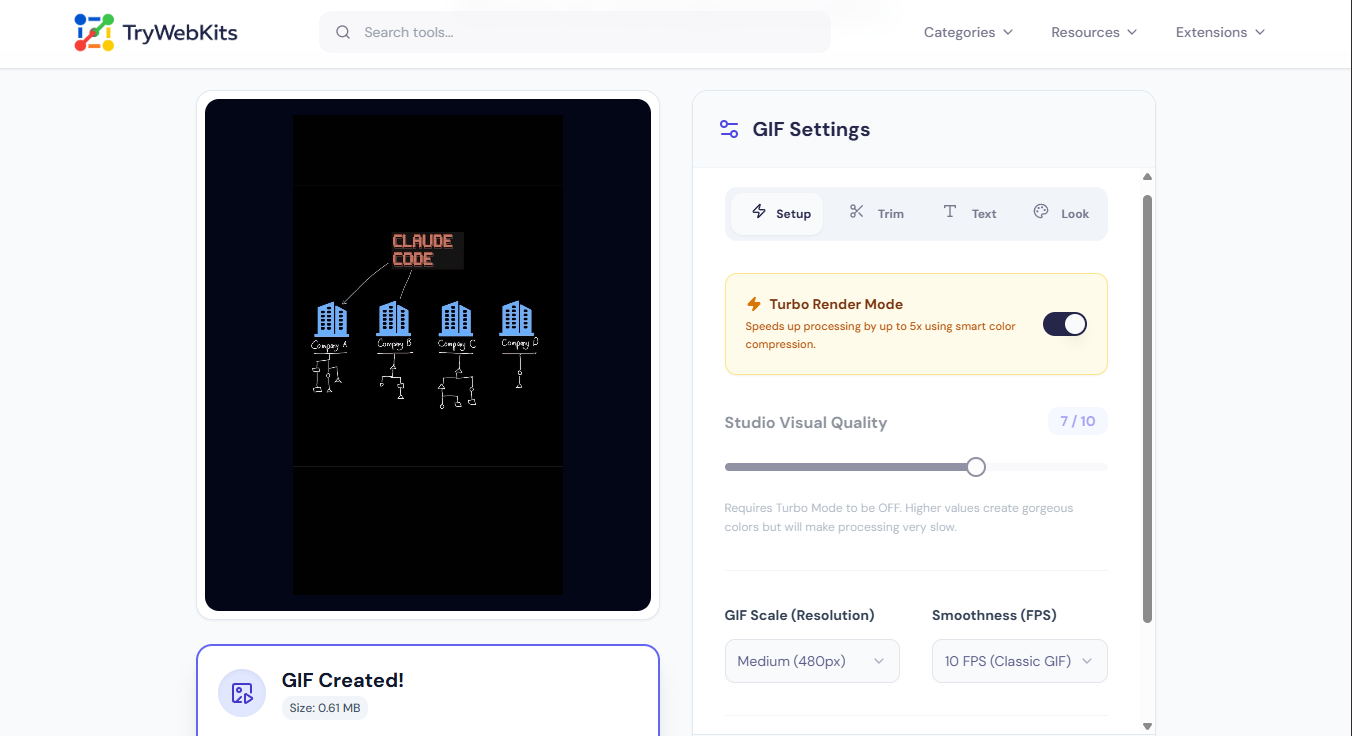
Mini-Tutorial
See how to trim, add text, and export your GIF in exactly 22 seconds.
Key Features Of The Video To GIF Converter
Explore the powerful functions that make this converting utility completely unique.
Turbo Render Mode
Speeds up file generation significantly using smart color compression techniques for fast results.
Custom Text Generator
Add top and bottom text with adjustable fonts, colors, and thick stroke outlines.
Advanced Playback Options
Choose between standard forward, reverse motion, or ping-pong boomerang looping styles instantly.
Precision Timeline Trimming
Cut exact moments from the media clip down to the precise necessary second.
Visual Filter Studio
Adjust brightness, contrast, blur, and grayscale values for a completely customized visual appearance.
Resolution and Speed
Control exact output dimensions and motion speed to maintain perfect target file sizes.
Practical Uses for Video to GIF Conversion
Discover practical everyday uses for this video to high quality gif converter.
Social Media Reactions
Convert funny movie moments or television clips into quick reactions for messaging apps. These lightweight files load instantly in group chats.
Instructional Guides
Turn screen recordings into short, looping visual steps for tutorials or help documents. Silent loops explain software processes better than static images.
Website Optimization
Replace heavy embedded media clips with lightweight animations to improve page loading speeds. This keeps website visitors engaged without consuming excessive bandwidth.
Digital Marketing Campaigns
Create engaging email banner animations from existing promotional footage. Simple animation captures attention far faster than plain text in crowded digital inboxes.
Forum Avatars and Signatures
Trim gaming highlights into compact profile pictures or signature banners for online communities supporting high-quality image formats.
Why Choose This Video to GIF Converter?
Doing this conversion manually requires complex editing software, advanced timeline knowledge, and technical exporting expertise. Traditional desktop software consumes massive hard drive storage, often costs money, and takes significant time to master. This online utility removes those technical barriers entirely. It operates strictly on the device using local machine processing power, completely eliminating the need to wait for slow server uploads or delayed downloads.
Users get access to a professional-grade mp4 to gif converter free from watermarks, hidden paywalls, and complicated interfaces. It easily handles everything from simply changing mp4 to gif to generating high-quality boomerang loops in mere seconds. The intuitive design means absolutely zero prior video editing experience is necessary to achieve perfect graphical results every single time.
Data Security
Privacy is completely protected. Files are never uploaded to the internet or stored on external servers. The entire conversion happens safely right inside the web browser on the active device. Once the page is closed, all data disappears instantly, keeping personal videos completely safe.
Commonly Asked Questions
The tool requires an initial internet connection to load, but all processing happens locally on the device without further network usage.
Quality depends strictly on the chosen frame rate and resolution. Selecting higher settings helps you convert video to high quality gif formats.
Clips should be kept under thirty seconds to two minutes, to prevent browser memory crashes during the intensive rendering phase.
No, this tool does not add any watermarks to files. Users have full control to add their own text or branding using the built-in features.
The media must be downloaded to the device first. Direct link conversions are not supported at this time.
You May Also Like

Video Compressor Online
Reduce video file size quickly without losing quality for faster sharing and uploading.
Image to GIF Converter
Convert Images into a high-quality GIF. Arrange frames, add watermark, text, and adjust speed.

Image Compressor and Resizer
Reduce image size and resize photos quickly without losing quality.
