Image Alt Text Generator
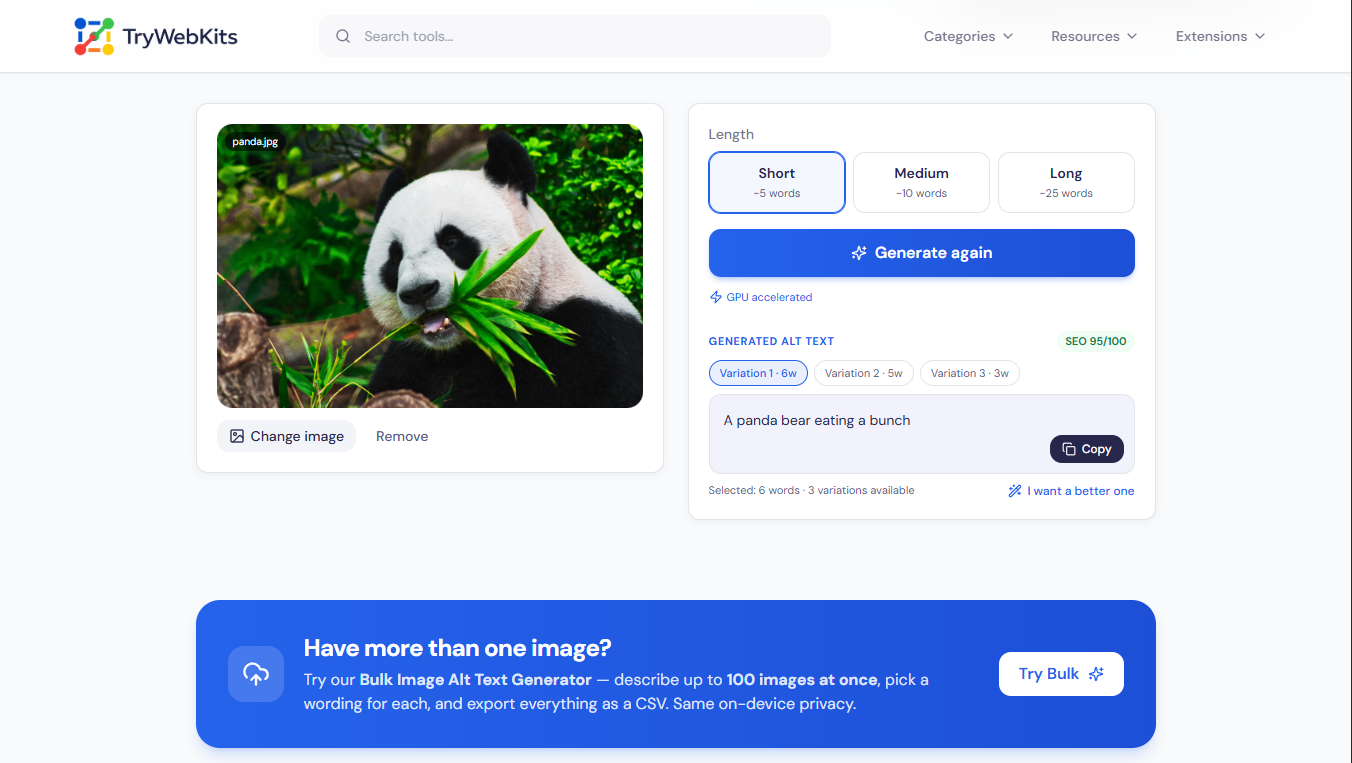
Describe any image for accessibility and SEO with on-device AI: short, medium or long, with three wordings to choose from. Create clear, descriptive alt text for any image in seconds.
What Is Image Alt Text?
Image alt text is the short written description added to a picture through its alt attribute, sometimes called the alt tag. Screen readers speak this text aloud, and search engines use it to understand what an image shows. It also appears in place of the picture when an image cannot load. The Image Alt Text Generator writes this description automatically: it reads a single uploaded image and drafts a clear line that explains the subject and scene. The result is ready to drop into the alt field of a web page, post, or product listing, with no manual wording.
How To Generate Alt Text For Images?
Creating alt text for an image takes only a few steps.
- 1
Upload an image or drag it straight into the upload area.
- 2
Choose a description length: short, medium, or long, to match the need.
- 3
Press Generate and wait a moment for the description to appear.
- 4
Pick the wording that fits, then copy it with a single tap.
How Does Alt Text On Images Help In SEO And Social Media?
Alt text does different jobs depending on where an image appears.
Website Images (SEO)
Helps search engines index pictures and rank them in image search results.
Pin descriptions match images to searches and surface them in recommendations.
X (Formerly Twitter)
Descriptions make shared images clear and readable to every follower in a feed.
Custom alt text supports discovery in search and keeps posts open to all.
Other Platforms
Facebook, LinkedIn, and similar sites use descriptions for context and wider reach.
Key Features Of Our Alt Text Generator
This alt text generator for images keeps the work quick and simple.
Length Choices
Pick short, medium, or long output to suit each image's role and placement.
Three Wordings
Receive three separate drafts for the image and choose the one that reads best.
SEO Score
A quick score on each wording flags weak phrasing and rewards descriptive lines.
Fresh Options
Tap "I want a better one" to add more drafts while keeping earlier ones.
One-Tap Copy
Copy the chosen description straight into an alt attribute on phone or desktop.
Format Support
Drop in or upload JPG, PNG, and WebP images directly from any device.
Why Choose Us?
Manual alt text is slow, easy to skip, and uneven.
Faster Than Typing
A clear description appears in seconds instead of pausing to word each line.
No Blank Alt
Avoid empty or skipped alt fields that hand-written work so often leaves behind.
Better Than Guessing
Get descriptive results rather than vague labels typed quickly under time pressure.
No Cost
Use the free alt text generator online with no account, install, or sign-up.
Data Security
Every image stays on the device from start to finish. The picture is read and described locally inside the browser, so nothing is sent to a server and nothing is uploaded at any point. Only a one-time model file loads from a content network so the tool can run; after that first load, it caches for the rest of the session. No image is stored, logged, or kept once the tab is closed, which keeps personal and client work fully private.
Everything You Need To Know
No. The image is only read, never edited or downloaded. Nothing is added or altered in any way.
Yes. Each draft is a starting point; copy it, then adjust the wording to match the image's exact context.
A connection is needed only for the first load. After that, the tool keeps working even if the connection drops.
There is no strict limit, though very large images may take a little longer to process on the device.
Yes. Any standard raster image works, including photos, screenshots, graphics, and product shots.
Yes. Each length sets a new target, so switching to long produces a fuller description and refreshes the wordings shown.
You May Also Like

Image Compressor and Resizer
Reduce image size and resize photos quickly without losing quality.

Paste Image To Download
Paste clipboard to save screenshots and copied images as files.
Image to GIF Converter
Convert Images into a high-quality GIF. Arrange frames, add watermark, text, and adjust speed.

EXIF Data Viewer
Extract GPS location, camera settings, timestamps, and all metadata from photos and videos. Privacy scanner included!
