
Vimeo Thumbnail Grabber
Download Vimeo video thumbnail images in multiple resolutions using the video's URL.
About This Tool
Vimeo offers no built-in way to save a video's thumbnail, so this tool asks Vimeo's own public lookup endpoint for it directly: the same endpoint news sites and blogs use to embed a Vimeo preview. The result is a clean, downloadable thumbnail image in up to three sizes, pulled straight from Vimeo's own servers rather than a screenshot or a guess. No account is needed, no watermark is added, and the video itself is never stored anywhere along the way.
How To Grab A Vimeo Thumbnail?
Three quick steps from a link to a downloaded image.
- 1
Copy the vimeo.com link of the video from a browser or the Vimeo app.
- 2
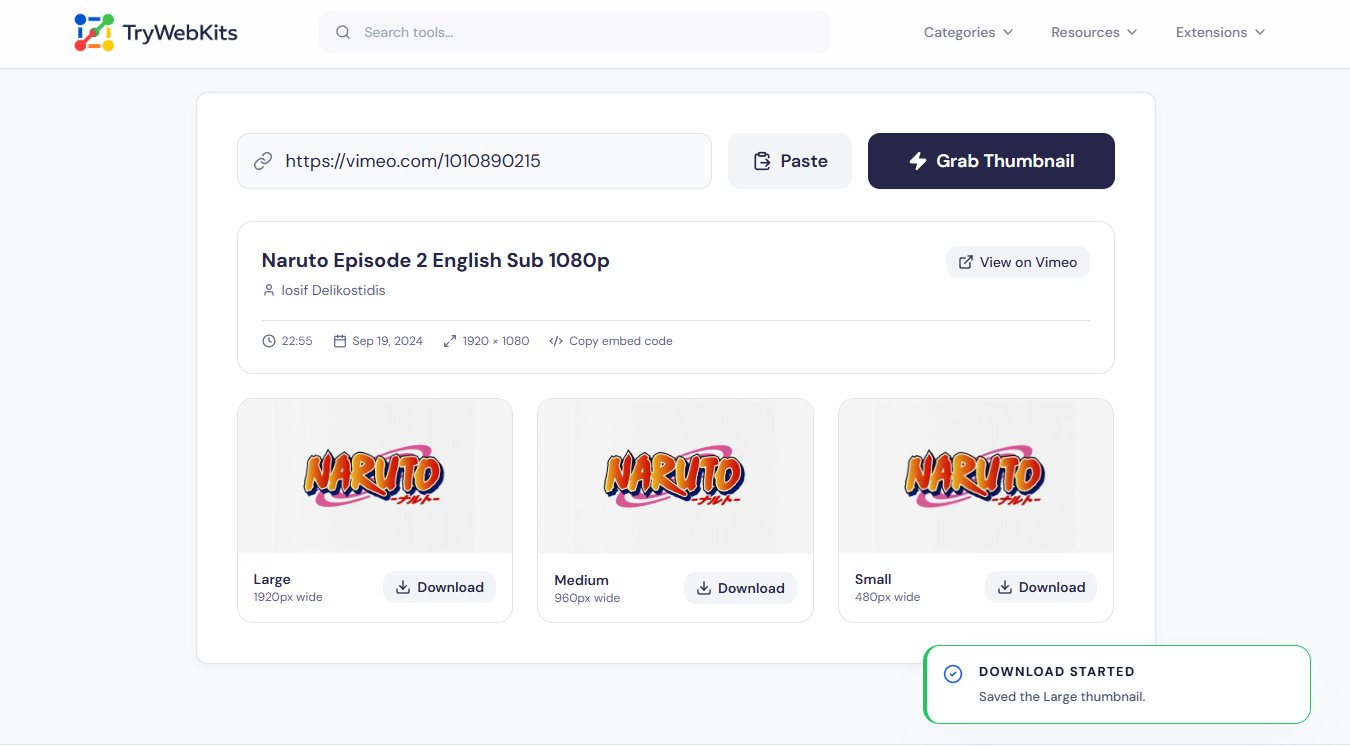
Paste the link above and click Grab Thumbnail to fetch the video's details.
- 3
Choose Large, Medium or Small, then click Download to save the image.
Core Capabilities Of This Vimeo Thumbnail Grabber
Six things this thumbnail grabber gets right every time.
Real Thumbnail Sizes
Grabs the exact sizes Vimeo itself serves, never a guessed or cropped copy.
Full Video Details
Shows the title, creator, description, upload date, duration and dimensions, not just the image.
Embed Code Included
Copies the exact iframe embed code Vimeo provides, ready to paste straight into a page.
No Sign-Up Needed
Paste a link and go, no Vimeo account or API key required at any point.
Runs In The Browser
The link goes straight to Vimeo’s own lookup endpoint, with nothing routed through another server.
Any Public Video
Works with standard vimeo.com links, channel links, and player.vimeo.com embeds alike.
Got Questions?
Downloading a thumbnail for personal use, like reference or checking a video before sharing it, is generally fine. Reusing it as new content, especially commercially, can violate the owner’s copyright.
No. Vimeo only returns a thumbnail for videos the owner has allowed to be embedded elsewhere. Private or embedding-disabled videos fail with a not-found message.
Up to three: Large at 1920px wide, Medium at 960px and Small at 480px. A smaller source video may return fewer, capped-size cards instead.
The usual reasons: the link is not a vimeo.com URL, the video is private or unlisted with embedding off, or it was deleted.
You May Also Like

YouTube Thumbnail Downloader
Download high-quality YouTube video and Shorts thumbnail instantly.

Image Compressor and Resizer
Reduce image size and resize photos quickly without losing quality.

Video Compressor Online
Reduce video file size quickly without losing quality for faster sharing and uploading.

Image Background Remover
Remove backgrounds from images online with AI assistance.

Metadata Editor
Edit EXIF, GPS, copyright, dates and more on JPEG, PNG and PDF files. Add unlimited custom fields.
