
Lorem Ipsum Generator
Create dummy placeholder text for any design, mockup or web page.
About This Tool
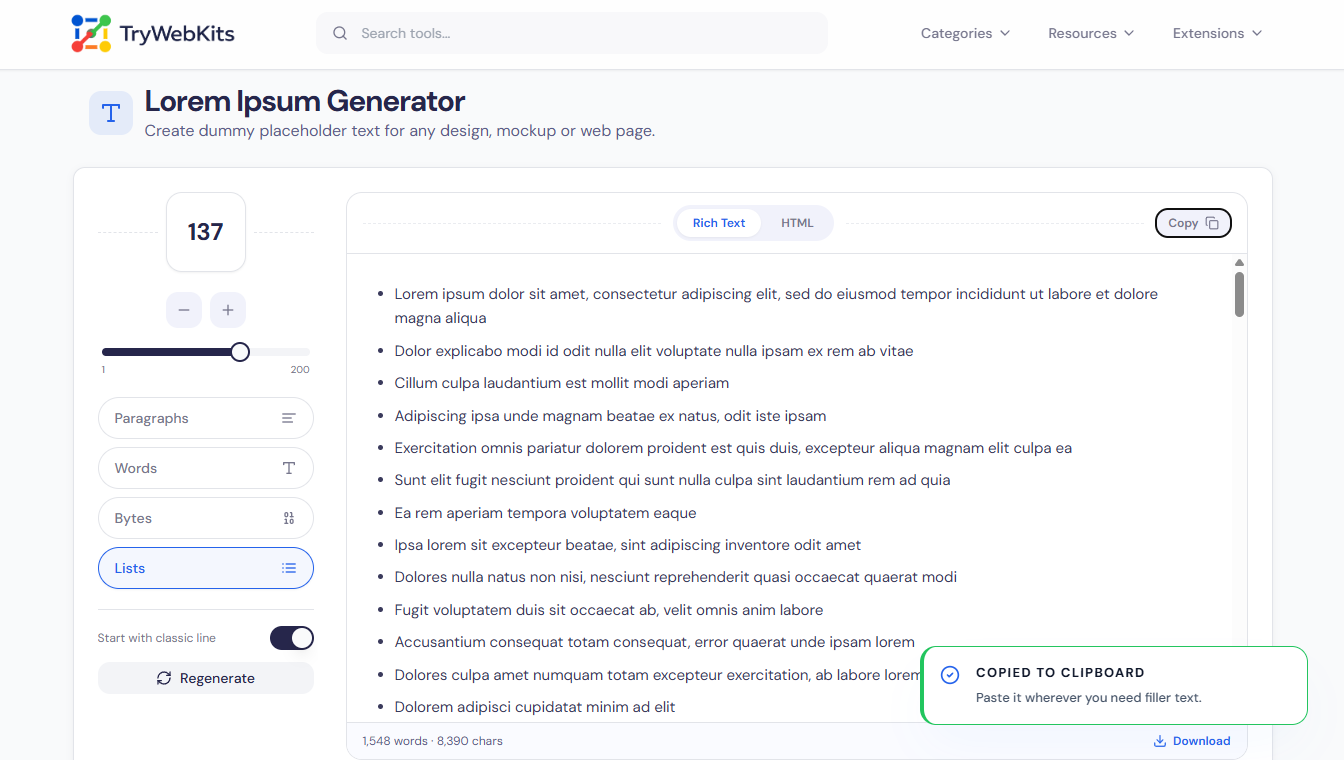
This Lorem Ipsum Generator creates placeholder text on demand for layouts, mockups and web pages. Pick the unit, full paragraphs, a plain run of words, an exact size in bytes, or bulleted list items, then set how many are needed. Keep the familiar classic opening line or switch to fully shuffled text, and turn on HTML tags to get output that pastes straight into markup. Each passage is built inside the browser from a fixed Latin word bank, so nothing is uploaded or stored. Copy the result to the clipboard or download it as a text or HTML file, with no account and no watermark.
A Short History Of Lorem Ipsum
- The standard dummy text dates back to the 1500s, when an unknown printer scrambled a tray of type to make a specimen book that has lasted for centuries.
- Its words trace to a 45 BC Latin work by Cicero, "de Finibus Bonorum et Malorum", but the passage is jumbled on purpose and is not readable Latin.
- It spread in the 1960s on Letraset transfer sheets printed with Lorem Ipsum passages, and later through desktop publishing programs such as Aldus PageMaker.
- The opening "Lorem ipsum" comes from "dolorem ipsum"; "Lorem" is a clipped word that carries no meaning of its own, which is why it cannot be translated.
How It Works?
Generating filler text takes three quick steps from start to finish.
- 1
Pick a unit: paragraphs, words, bytes or list items.
- 2
Set the amount, then toggle the classic line or HTML tags.
- 3
Copy the text, or download it as a file.
What The Dummy Text Generator Can Do?
Customize dummy text length and format for any design workflow.
Natural rhythm
Varied sentence lengths and stray commas make the filler read like real body copy.
Exact byte size
Fill a field to a precise byte count to test input limits and layouts.
Live counters
Word and character totals update on screen as the amount or unit changes.
Large batches
Generate a few lines or several thousand words at once without slowing down.
Cross-device copy
Copies reliably on phones, tablets and older browsers, with a one-tap file download.
Fresh variations
Regenerate a new passage any time so no two mockups share the same text.
Built-In Lorem Ipsum Shortcuts By App
Many editors and design apps can drop in placeholder text without leaving the workspace. The shortcuts below are built in and work today.
Code Editors
| Editor | How to insert placeholder text |
|---|---|
| Visual Studio Code | Type lorem and press Tab. Emmet is built in; add a number like lorem25 for an exact word count, or p*3>lorem for three paragraphs. |
| JetBrains IDEs (IntelliJ, WebStorm, PhpStorm) | In an HTML file, type lorem and press Tab. Emmet ships with the IDE, and counts like lorem40 work the same way. |
| Google Antigravity | Built on a VS Code base, so the same Emmet lorem + Tab abbreviation works, including word counts and nesting. |
Design Apps
Adobe InDesign and Illustrator
Select a text frame, then choose Type > Fill With Placeholder Text to flow Lorem Ipsum into the frame.
Adobe Photoshop
New type layers fill with placeholder text by default; the option sits under Preferences > Type if it needs turning on or off.
Adobe XD
Right-click a text box and pick Fill with Placeholder Text, which wraps to the box size automatically.
Figma
There is no universal menu command, so install the free "Lorem Ipsum" plugin or Content Reel to fill selected text layers in one click.
When an app offers no shortcut, the text generated on this page can be copied or downloaded straight into any layout.
Common Questions
Yes. Placeholder text is free for any personal or commercial project, with no attribution, licence or fee required at any stage.
It fills a layout without pulling focus, so attention stays on spacing, fonts, structure and the overall design rather than the wording.
After the page loads, every passage is created locally in the browser, so it keeps working without an internet connection.
Words are pulled at random from a Latin set, so each passage and every regeneration comes out looking different.
Yes. "Lipsum" is a common short nickname for the same Lorem Ipsum placeholder text used across design and web work.
Yes. Replace it with real content before launch, since search engines can index the meaningless placeholder words by mistake.
You May Also Like

Text Compare Online
Compare texts or files with our side-by-side diff checker.

Text Case Converter
Convert text between uppercase, lowercase, title case, and more

Metadata Remover
Strip EXIF, GPS, author info, and hidden metadata from photos, videos, and PDFs to protect your privacy before sharing.

QR Code Generator
Create QR codes for URLs, text, WiFi, and more

EXIF Data Viewer
Extract GPS location, camera settings, timestamps, and all metadata from photos and videos. Privacy scanner included!
