WHOIS Lookup
 WHOIS Lookup
Look up the public registration record for any domain name or IP address, straight from the source registry.
Enter a domain name or an IP address above, then click Lookup.
About This Tool
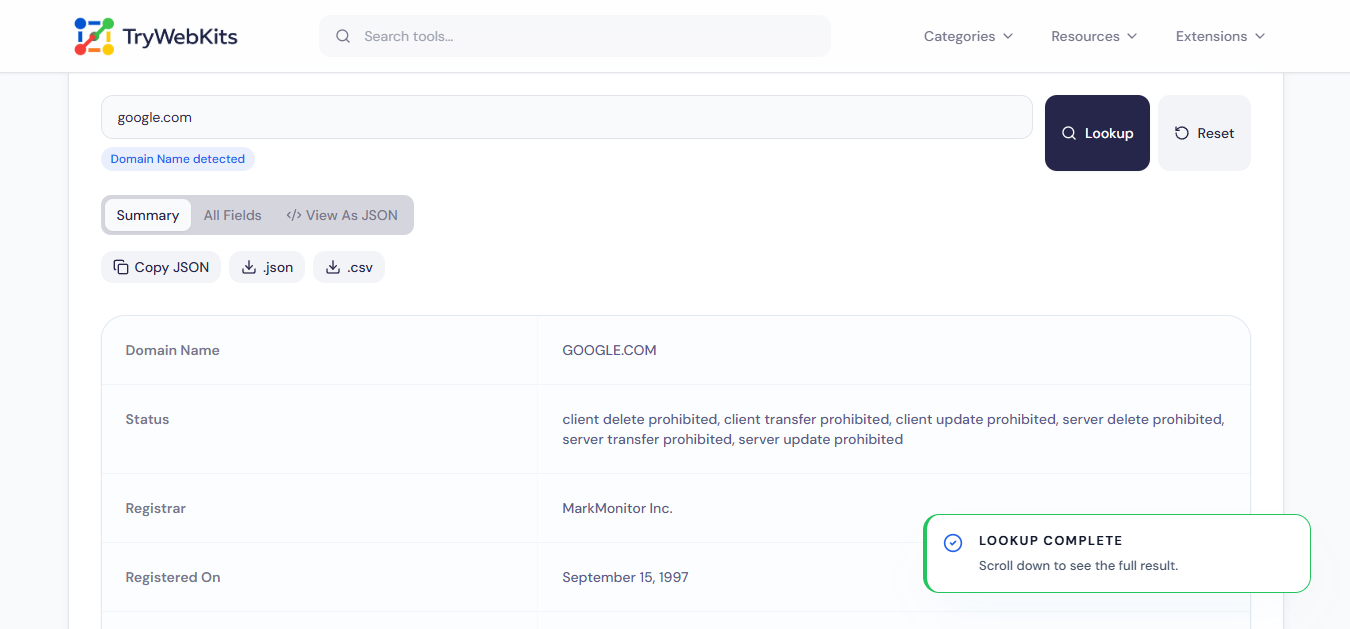
WHOIS Lookup finds the public registration record for any domain name or IP address, using RDAP, the modern, standardized successor to the old WHOIS protocol. The registry that actually holds the record is resolved automatically, then queried directly from the browser, with no server in between and nothing typed here stored anywhere.
A handful of regional registries have not enabled direct browser access yet. When that happens, the tool says so plainly and links straight to the full record in a new tab, instead of just failing silently.
How To Know An IP Or Domain Belongs To Whom?
From a domain or IP address to knowing who is behind it, in four steps.
- 1
Type the domain name, IPv4 address, or IPv6 address in question.
- 2
Click Lookup, the correct registry is found and queried automatically.
- 3
See the registrar, network owner, or org name behind it.
- 4
Download the record as JSON or CSV, or copy it to the clipboard.
Core Capabilities Of This WHOIS Lookup
Domain And IP In One Box
Run a domain lookup or an ip lookup from the same box, the correct registry is found automatically.
Real RDAP Data
This rdap lookup queries the actual authoritative registry directly, not a cached or third party summary.
Every Field Shown
Switch to All Fields for the complete raw whois lookup record, not just a curated few lines.
Download As JSON Or CSV
Save the full result as a raw JSON file or a flattened CSV spreadsheet.
Copy Ready Output
Copy the raw JSON straight to the clipboard, with a fallback for older mobile browsers.
Honest About Limits
A clear note appears when a domain whois or ip whois registry blocks browser access, instead of a silent failure.
Frequently Asked Questions
WHOIS is the long-standing system for looking up who registered a domain name or who a block of IP addresses is allocated to, originally a simple text-based lookup protocol. This tool reads that same registration data through RDAP, its modern web-friendly replacement.
RDAP is the modern, standardized successor to the WHOIS protocol. It returns structured JSON over HTTPS instead of unstructured plain text, which is what lets this tool query registries directly from a browser.
A few regional registries have not enabled direct browser access to their RDAP service. When that happens, a link to the full result opens in a new tab instead of the lookup silently failing.
Summary pulls out the fields most people want first. All Fields lists every value in the raw record, including nested and less common fields.
Yes. IPv4 addresses, IPv6 addresses, and domain names all work in the same input field.
You May Also Like

Domain to IP Converter
Resolve any domain to IPv4 and IPv6 addresses, view DNS records, and explore per-IP network details.

Email Header Analyzer
Analyze raw email headers to trace delivery routes, verify SPF/DKIM/DMARC, & diagnose delivery delays.

URL Unshortener
Instantly expand the shortened links before clicking them to protect yourself from malware and phishing.

QR Code Generator
Create QR codes for URLs, text, WiFi, and more
