JPG To PNG Converter
 JPG To PNG Converter
Convert JPG images to PNG online, free, in just a few clicks.
Files are converted on this device and never uploaded to any server.
About This Tool
The JPG to PNG Converter turns JPG and JPEG photos into PNG files online, with no software to install and no account to create. One image or a whole batch can be converted at once, and the output has no watermark.
It is a quick way to change image format when a website, editor, or design tool asks for PNG. Logos, screenshots, and diagrams saved as JPG are common examples, and files ending in .jpg, .jpeg, .jpe, or .jfif are all accepted. PNG files need the PNG to JPG converter instead.
How To Convert JPG To PNG?
Converting JPG files to PNG takes only a few clicks.
- 1
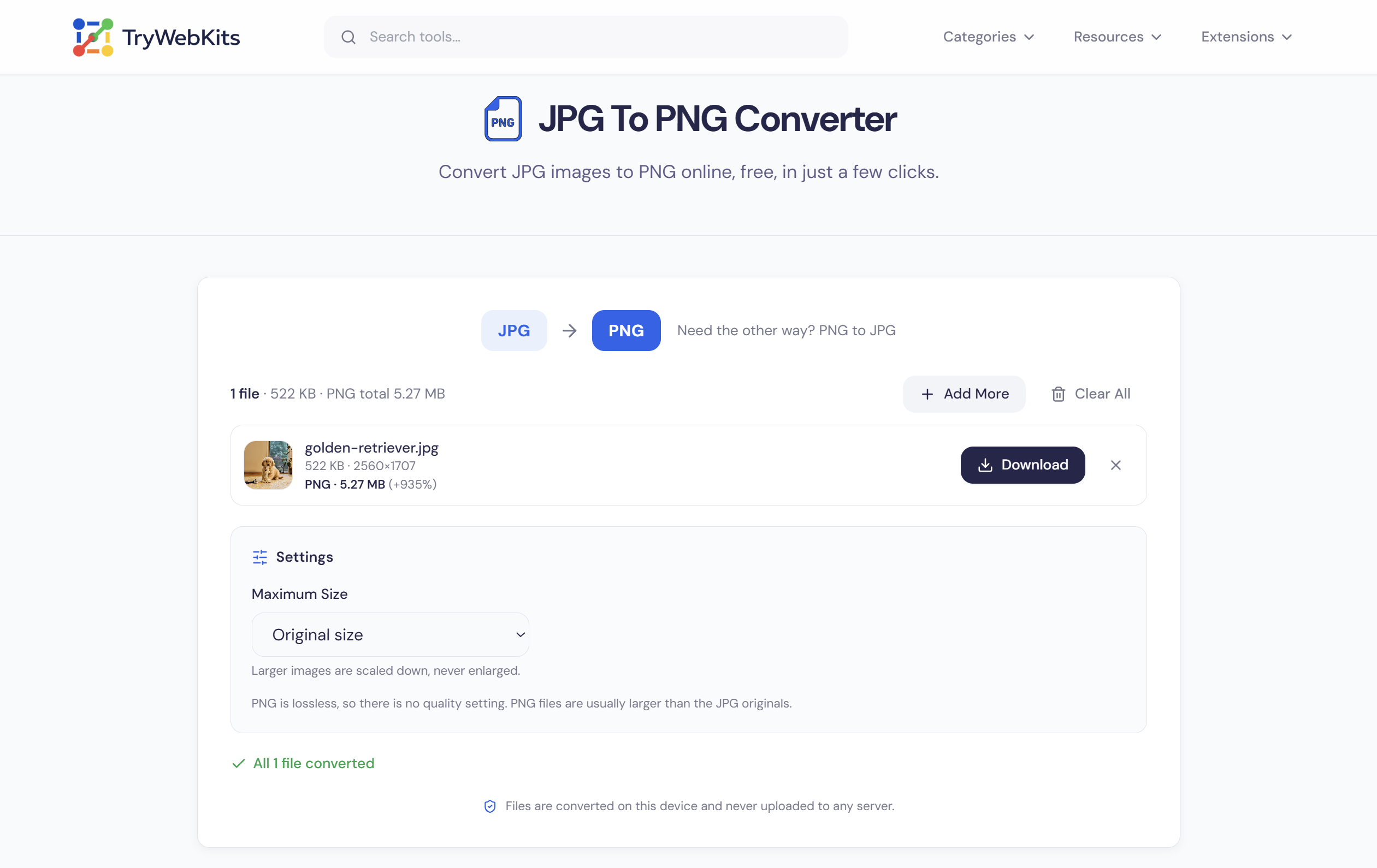
Press Select Files or drag JPG images onto the converter to add them.
- 2
Pick a maximum size if the PNG files should be smaller than the originals.
- 3
Press Convert and wait while each image is turned into a PNG file.
- 4
Check the new file size beside each image, then press Download for a single file.
- 5
Use Download All to save every converted image together in one ZIP archive.
How This JPG To PNG Converter Works?
Each JPG is decoded by the browser, drawn onto a canvas, and encoded as a PNG. Photos that carry a camera rotation flag are turned upright first, so they are not saved sideways.
Files are converted one at a time, so a damaged file is flagged on its own row while the rest continue. Cancel stops the batch after the file in progress.
Photos Never Leave The Device
Every image is converted inside the browser, so nothing is uploaded to TryWebKits or any other server. The PNG also leaves out EXIF details such as camera model and GPS location, and nothing is stored once the tab closes.
JPG Vs PNG: Which Is Better?
Each format suits different images, so the choice depends on the job.
| Feature | JPG | PNG |
|---|---|---|
| Full Name | Joint Photographic Experts Group, also called JPEG | Portable Network Graphics |
| Compression | Lossy, some detail is discarded | Lossless, every pixel is kept |
| Transparency | Not supported | Supported with an alpha channel |
| File Size | Small, especially for photos | Larger, often several times for photos |
| Best For | Photographs | Logos, line art, and graphics with text |
| Repeated Saving | Can lose a little quality with each save | No quality loss |
| Color Depth | Normally 8 bits per channel | Up to 16 bits per channel |
Features Of This JPG To PNG Converter
Batch conversion, optional resizing, and a ZIP download in one place.
Batch Conversion
Several JPG files are converted in a single run, and each result is listed separately.
Lossless Output
Every decoded pixel is saved exactly in the PNG, with no extra compression loss.
Optional Resizing
A maximum size from 4096 to 800 pixels caps the longest side, keeping proportions.
Size Comparison
The original and converted file sizes appear beside every image after conversion.
ZIP Download
Converted images can be saved one by one or all together in a ZIP file.
Original Names Kept
Each PNG keeps the name of its JPG, which makes converted files easy to match.
Frequently Asked Questions
Yes. It costs nothing, and there is no daily limit on the number of batches that can be converted.
No. The PNG shows what the JPG already shows, and detail removed by JPG compression cannot be brought back.
No. The PNG keeps the JPG's solid background, so nothing becomes transparent. The Image Background Remover can cut out the subject and save a transparent PNG.
No exact size can be set. PNG file size follows the pixel count, so a smaller maximum size gives a smaller file.
Up to 25 JPG files per batch, with each file up to 50 MB. Larger sets can be converted in several rounds.
Any modern browser on a computer, phone, or tablet. Very large photos can fail on phones with limited memory, and a smaller maximum size helps.
You May Also Like

Image Compressor and Resizer
Reduce image size and resize photos quickly without losing quality.

Image to PDF
Combine JPG, PNG, and WebP images into one PDF, privately in browser.

Image Background Remover
Remove backgrounds from images online with AI assistance.

Metadata Remover
Strip EXIF, GPS, author info, and hidden metadata from photos, videos, and PDFs to protect your privacy before sharing.

EXIF Data Viewer
Extract GPS location, camera settings, timestamps, and all metadata from photos and videos. Privacy scanner included!