IP Address Lookup
Find the location, ISP, organization, ASN, and timezone of any IPv4 or IPv6 address in seconds, with a map, raw JSON output, and one-click text export.
Lookups are answered by a public geolocation API directly from your browser. TryWebKits never logs or stores your searches.
About This Tool
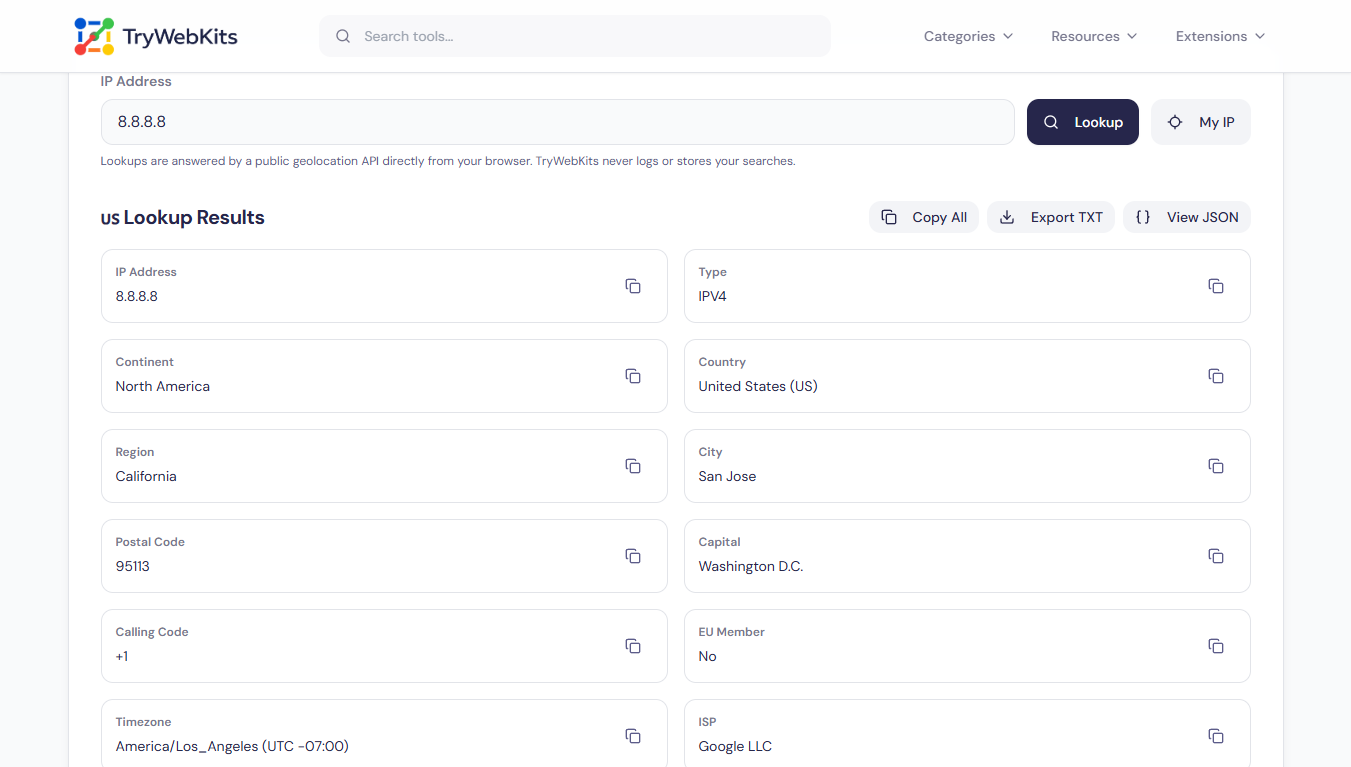
This IP address lookup takes any public IPv4 or IPv6 address and returns the public record attached to it: the country, region, and city it is registered in, the ISP and organization running it, the ASN, the network range, and the local timezone. A map marker shows the approximate area, and the raw response stays available for anyone who needs the exact field names. One button also finds the current public IP of the device in use. Nothing needs to be installed, no sign-up exists, and every result appears within a second.
How To Run An IP Lookup In Five Steps?
Getting a full IP lookup result takes five short steps here.
- 1
Enter The Address: Type or paste any IPv4 or IPv6 address into the search field.
- 2
Or Use My IP: Press My IP to check the current public IP address instead.
- 3
Start The Search: Click Lookup, or simply press Enter on the keyboard.
- 4
Read The Result: Scan the detail cards and the map for city and network information.
- 5
Save The Data: Copy one field, copy everything, view the JSON, or export a text file.
How Does This IP Address Lookup Works?
Every IP address on the internet is handed out in blocks. Regional internet registries assign these blocks to ISPs, hosting companies, and large organisations, and those assignments are public records, similar to whois data for domains. An IP geolocation service maps each block to the place where it is registered and to the network that announces it.
This tool sends the entered address to a public geolocation service straight from the browser, then displays the returned fields in plain language. Private and reserved addresses such as 192.168.1.1 or 10.0.0.1 are recognised inside the browser first and never sent anywhere, because local network addresses carry no public location. Country results are dependable; city results stay approximate, since the marker points at a registered block, never at a street or a person.
What Details The Lookup Reveals?
Each result field answers a different question about the address being checked.
Place Details
Continent, country, region, city, and postal code show where the address block sits.
Map Position
Coordinates and an interactive map give a visual sense of the registered area.
Network Owner
ISP, organization, and provider domain identify who actually operates the address.
ASN And Range
The autonomous system number and network range show which routes carry the traffic.
Local Context
Timezone, calling code, currency, languages, and EU status describe the surrounding region.
Address Type
A clear IPv4 or IPv6 label confirms which version the entered address belongs to.
Why Does This Tool Beat Checking An IP By Hand?
Manual checks need commands, several websites, and a lot of tab switching.
One Screen Only
Registry data, geolocation, and the map arrive together instead of three separate lookups.
Ready To Share
Copy All and text export produce a tidy summary for tickets, logs, or reports.
Raw Output Included
The unedited JSON is one click away, so scripts and documentation get exact field names.
Zero Search History
Queries travel from the browser to the geolocation service, with no account and no stored log.
Common Questions About IP Lookups
Not directly. A domain has to be resolved to an IP address first, then that address can be pasted here for full location and owner details.
One address is checked per search. Large lists are better handled by a dedicated bulk lookup tool built for repeated queries.
No. Blacklist checks and query separate spam databases. This page reports registration, geolocation, and network data only.
No. Nothing is sent to the address itself. Only a public geolocation database is queried, so the lookup stays invisible to the owner.
Each service uses its own database and update schedule. Small city-level differences between providers are normal and expected.
No. The tool is free on phones, tablets, and desktops, with no account, no daily cap, and no hidden limits.
You May Also Like
Find My IP & Device Info
Check your public IP address, estimated location, ISP, and detailed browser/device user agent information securely.

Domain to IP Converter
Resolve any domain to IPv4 and IPv6 addresses, view DNS records, and explore per-IP network details.

Bulk Domain to IP Converter
Resolve up to 50 domains to IP addresses, view country, ASN, and ISP details, then export results as CSV.

URL List Cleaner
Clean, sort, deduplicate, and organize URL lists online.

URL Unshortener
Instantly expand the shortened links before clicking them to protect yourself from malware and phishing.

QR Code Generator
Create QR codes for URLs, text, WiFi, and more
