
Video Compressor Online
Compress, color, mute, and edit videos.
Everything happens safely on your device.
Click or Drop Video Here
MP4, MOV, WEBM (No size limit!)
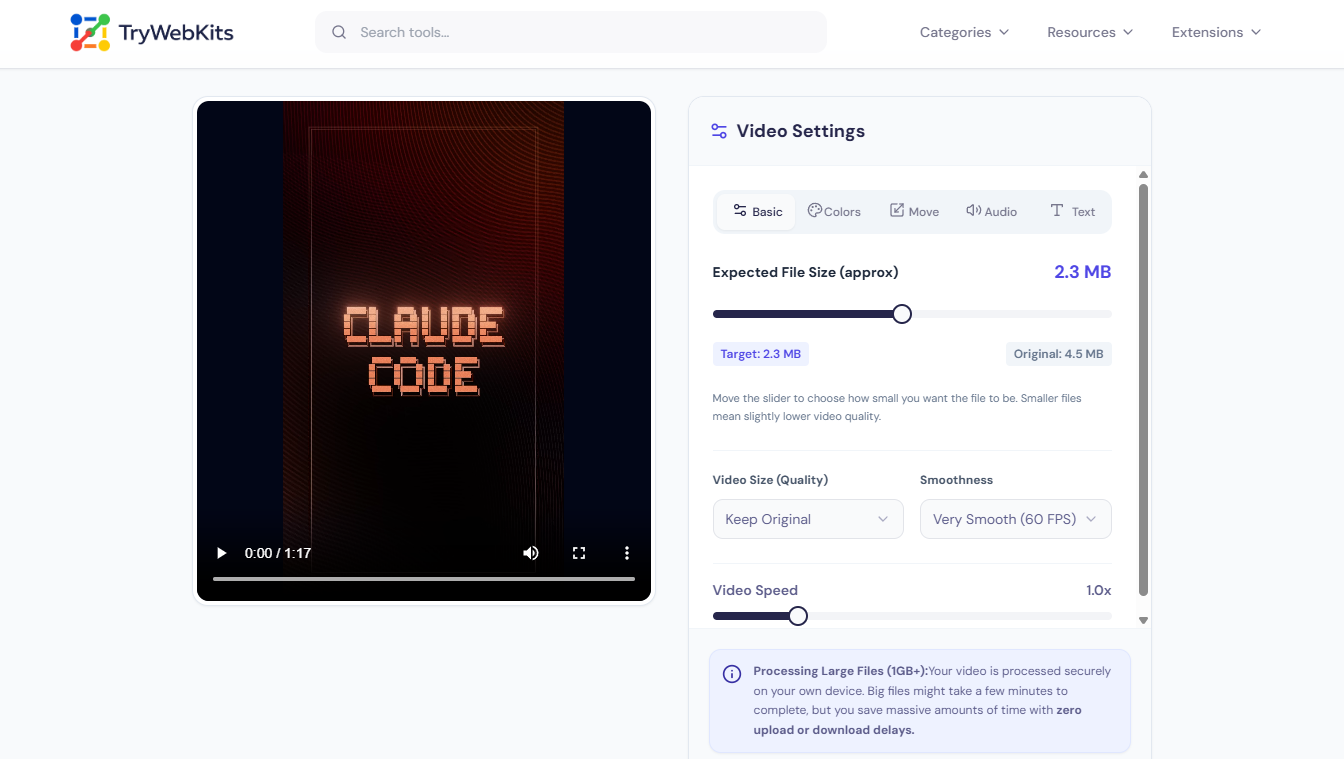
Video Settings
Processing Large Files (1GB+):Your video is processed securely on your own device. Big files might take a few minutes to complete, but you save massive amounts of time with zero upload or download delays.
About This Tool
Video Compressor Online is a streamlined web-based tool created to facilitate the immediate reduction of video file dimensions. Large media files consume storage and take a long time to share. This tool solves that by making video files smaller while maintaining acceptable visual clarity. It supports popular formats like MP4, WEBM, and MOV. Anyone can decrease video size online directly from a desktop, laptop, mobile phone, or tablet.
The interface requires no technical knowledge. Just select a file, adjust the slider to a target size, and let the online video compressor handle the rest. It is a simple, practical way to shrink video size online.
How Much Can You Compress?
How To Compress A Video File Online?
Shrinking your video takes just a few clicks and requires zero technical skills.
- 1
Select a file: Click the upload area or drag & drop to choose the video file requiring compression.
- 2
Set the size: Move the slider to choose the desired output file size accurately, and perform video edits if desired.
- 3
Wait for processing: Let the tool reduce the video file size directly in the browser.
- 4
Save the result: Click the download button to store the compressed video file locally.
Quick Start Guide
A 35-second demo showing you exactly how to shrink your videos
What To Expect?
Our free video compressor online is built for performance and simplicity, offering essential functions to help you decrease video file size fast.
Universal Device Support
Works seamlessly across desktops, laptops, tablets, and smartphones without app installations.
Custom Target Size
Input the exact megabyte limit needed for email attachments or web uploads.
Multiple Formats
Compress MP4, MOV, and WEBM formats natively within any modern web browser.
Audio Removal Option
Mute background noise entirely to decrease file size for silent screen recordings.
Format Conversion
Automatically converts heavy Apple formats into universally readable MP4 or WEBM files.
No File Limits
Compress large video files up to several gigabytes without facing artificial paywall restrictions.
Video Compressor In Everyday Scenarios
From sending large emails to clearing up phone storage, a reliable file size reducer solves common digital problems.
Emailing Attachments
Most email providers restrict attachments to 25MB. Compressing a video ensures it fits this strict limit.
Freeing Up Storage
Mobile phones run out of space quickly. Shrinking old videos opens up room for new photos.
Uploading to Websites
Webmasters reduce video clip size so background site videos load faster on slow internet connections.
Sharing via Messaging Apps
Chat apps compress videos automatically, often ruining quality. Our tool allows for better control over the final look.
Why Use Our Tool?
We eliminate the need for complicated software by putting exact size-reduction controls right in your browser.
No Professional Skills Needed
You don't need to understand complex bitrates or install massive software to shrink your media files.
User-Friendly Interface
Our single-page layout provides clear control over output quality without confusing sub-menus.
Instant Feedback
Get an immediate calculation of your final file size before starting the task to ensure it meets your requirements.
Efficient Workflow
Save time by avoiding the long export durations typically found in traditional desktop editing applications.
No Internet Usage for Transfer
Because the tool performs all tasks directly within the browser, there is zero upload, download, or internet usage time required for file transfers.
No Uploads Required
Security remains a top priority when handling personal media. Traditional tools require uploading files to a remote server, creating privacy risks and consuming bandwidth. This tool uses local browser processing. The video file never leaves the device. The compression happens entirely using the computer or smartphone's internal hardware. Since no data transfers to external servers, there is zero risk of data leaks. No files are stored, viewed, or kept anywhere.
Frequently Asked Questions (FAQs)
Heavy compression reduces sharpness, but moderate adjustments maintain excellent clarity. The tool balances optimal bitrate to keep visual degradation minimal.
WEBM and MP4 using modern codecs offer the best size-to-quality ratio. The tool automatically exports to these highly efficient formats.
Since compression happens locally, older devices with weaker processors take longer. Newer computers and smartphones process large files much faster.
No. The exported file remains completely clean. There are no hidden watermarks, logos, or forced branding applied to the output, although you can add one, as we provide features for that in settings.
No. The browser player must be able to read the source file properly. Corrupted files will fail to load in the interface.
You May Also Like

Video To GIF Converter
Convert videos to GIFs quickly. Add watermark, text, crop, and adjust frame rates.

Image to GIF Converter
Convert Images into a high-quality GIF. Arrange frames, add watermark, text, and adjust speed.

Image Compressor and Resizer
Reduce image size and resize photos quickly without losing quality.
