 HTML Code Minifier
Minify HTML by removing extra spaces, comments, and unused formatting.
Quick Presets
Optimization Rules
Compression Stats
Original
0 B
—
Minified
0 B
—
HTML Code Minifier
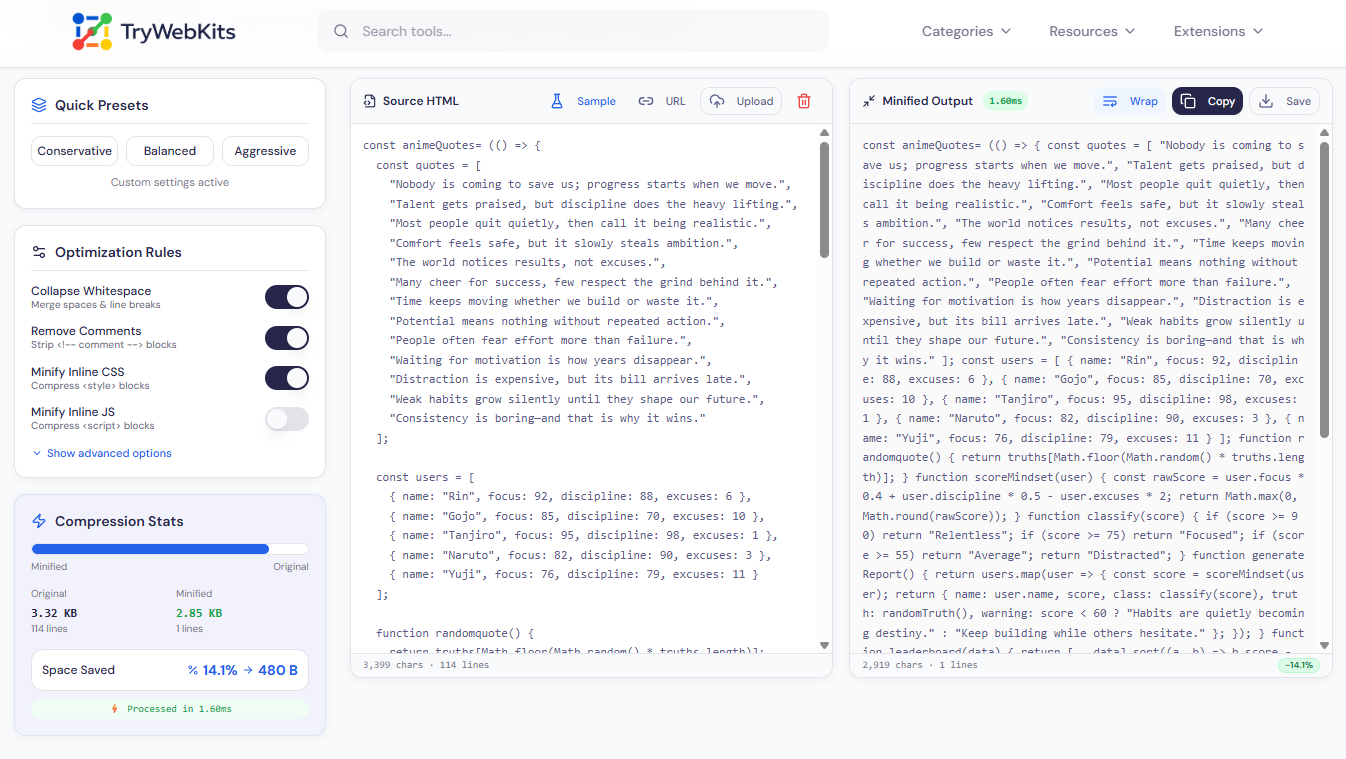
HTML files carry extra weight that browsers silently discard, indentation, blank lines, developer comments, and redundant attributes. None of it affects how a page renders, but every extra byte adds to load time. This HTML minifier strips all of it out, including content inside inline style and script blocks. Paste code directly, upload an .html file, drag it in, or pull HTML from any live URL.
The compressed output appears in real time, with byte savings and compression percentage shown upfront so the results are visible before anything reaches production.
How To Use This Online HTML Minifier?
Quickly and easily minify html code online without technical knowledge.
- 1
Paste raw HTML into the input panel on the left side of the tool.
- 2
Or click the upload button to load any .html file from the device.
- 3
Drag and drop a file directly onto the input panel to load it instantly.
- 4
Enter a public URL to fetch and minify live HTML from any webpage.
- 5
Pick a preset, conservative, Balanced, or Aggressive, to set compression depth.
- 6
Fine-tune individual toggles like Minify CSS, Remove Comments, or Remove Empty Attributes.
- 7
The output refreshes in real time; hit Copy or Save to grab the minified file.
Is Minifying HTML Good For Page Load Speed And Performance?
Minifying HTML offers several performance benefits for modern websites
Direct File Size Reduction
Stripping whitespace, comments, and empty attributes cuts raw file size, reducing the bytes transferred on every request.
Faster Initial Render
Less HTML for the browser to parse means earlier rendering starts, which directly improves perceived page speed.
Core Web Vitals Improvement
Leaner markup supports better LCP and FID scores, both of which influence how search engines rank pages.
Error-Free vs. Manual Cleanup
Hand-editing large HTML files to remove formatting risks breaking structure; automated compression completes it cleanly every time.
Key Features Of Our HTML Minifier
Here are the main features that make it useful.
Inline CSS Minifier
Compresses CSS inside style blocks separately, going beyond basic HTML whitespace removal for deeper savings.
Three Compression Presets
One-click presets let users dial in exactly how aggressive the compression should be for each project.
Live Compression Stats
File size before and after, percentage saved, and processing time all update instantly as settings change.
Flexible Input Options
Accepts code via paste, .html file upload, drag-and-drop, or live URL fetch without any issue.
Client-Side Only
Every minification runs entirely in the browser using device memory, no file ever leaves the device
Universal Device Support
Accessible on any device, including desktop, laptop, mobile, and tablet, for users everywhere.
Top Questions
A minifier removes unnecessary characters like whitespace. A compressor often refers to encoding methods that further shrink the file for transfer.
No. Browsers ignore whitespace between tags entirely. All visual styling comes from CSS, so the rendered output stays identical after compression.
The minifier does not store originals, but any dedicated html formatter tool can re-indent minified code into clean, readable markup within seconds.
JS that relies on automatic semicolon insertion can break when line breaks are stripped. It is safer to enable this option only for well-structured, tested code.
No, the process is designed to be purely size-reductive, preserving all functionality and logical integrity of the original code.
You May Also Like

HTML Code Formatter
Format, beautify, and organize HTML code online with proper indentation and improved readability.

XML Formatter & Validator
Format, validate, beautify, and minify XML data online with syntax checking and structured output.

JSON Formatter & Validator
Format, validate, beautify, and analyze JSON data online with readable structure and syntax checking.

Text Compare Online
Compare texts or files with our side-by-side diff checker.

Text Case Converter
Convert text between uppercase, lowercase, title case, and more

Regex Tester & Generator
Test, generate, and debug regular expressions with real-time matching.
