 XML Formatter & Validator
Paste XML to instantly format, validate, convert, or clean it.
What Does This XML Formatter & Validator Do?
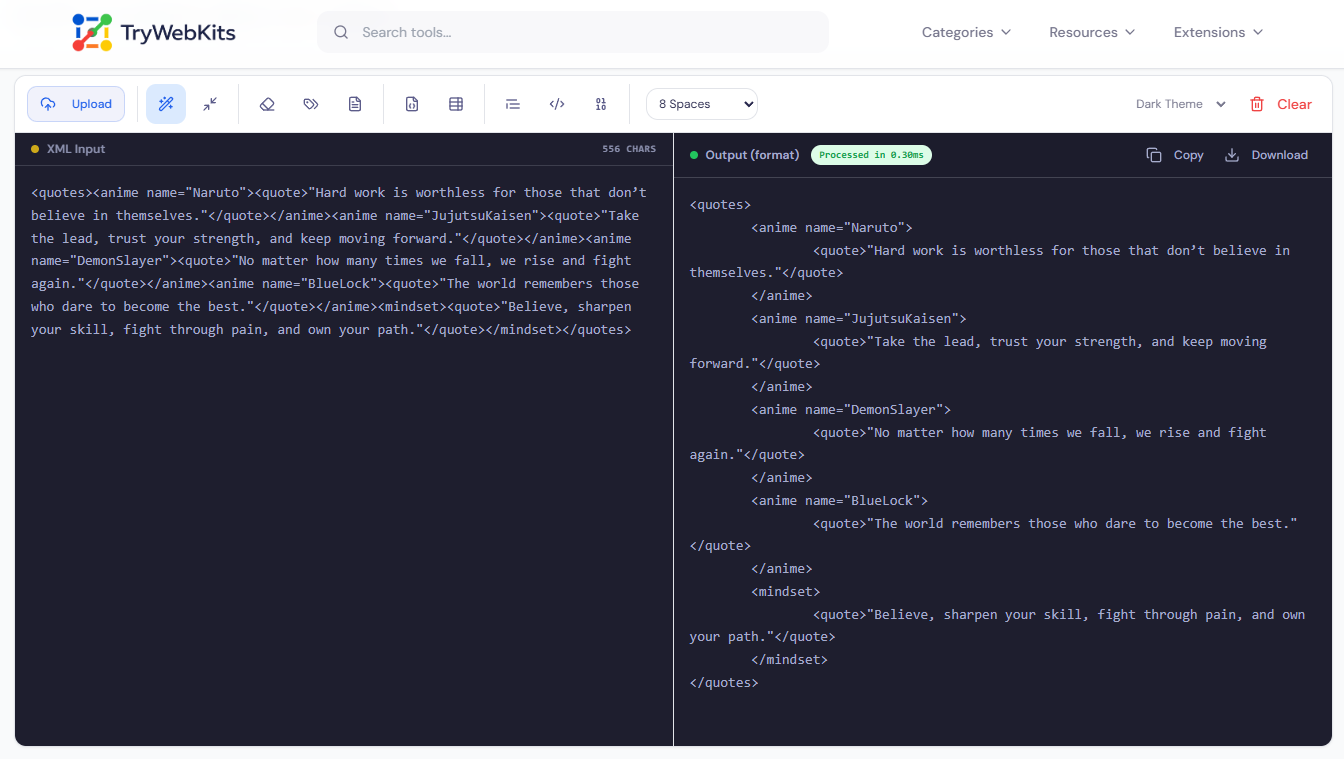
This is a free, browser-based XML formatter and validator. Paste or upload any XML file and it immediately checks for syntax errors, formats the content with configurable indentation, and shows a clear inline error message when the markup is broken.
The tool offers 11 processing modes from a single toolbar: pretty-print formatting, minify, remove comments, strip attributes, extract plain text, convert XML to JSON, convert XML to CSV, HTML escape, HTML unescape, and Base64 encode/decode. All processing uses the browser's native DOMParser, nothing reaches any external server. No account or installation required. Compatible with desktop, laptop, tablet, and mobile.
How To Format and Validate XML Online?
Follow these simple steps below:
- 1
Paste raw XML into the input panel or upload an XML file from the device.
- 2
Validation and formatting begin automatically, updates within milliseconds of any input change.
- 3
If XML has errors, a red alert appears above the output with a clear error description.
- 4
Choose a processing mode from the toolbar: format, minify, convert, encode, or extract text.
- 5
Set indentation to 2, 4, or 8 spaces using the spacing dropdown in the toolbar area.
- 6
Toggle between light and dark editor themes using the theme selector in the toolbar.
- 7
Click Copy to copy formatted output to clipboard, or Download to save it as a file.
- 8
Use the Clear button to reset both panels and start fresh with a new document.
Why Choose Our XML Formatter & Validator?
Here’s what makes our tool stand out.
Precise Error Reporting
When XML fails validation, the exact parse error is shown inline, not just a generic failure notice.
Replaces Multiple Tools
Formatting, converting, encoding, and minifying XML no longer require switching between separate online tools.
Browser Based
Process everything locally in the web browser without uploading sensitive data to any server.
Real-Time Feedback
Syntax errors are flagged the moment they appear, no submit button or page reload needed.
Answers To Common Queries
Formatting organizes the code for readability, while validating checks if the XML follows correct syntax rules and structural requirements.
The tool checks for XML well-formedness, correct syntax, proper nesting, and valid tag closure. Validation against a custom XSD or DTD schema file is not currently supported.
No hard file size limit is enforced by the tool. Processing speed depends on the browser and device, but most XML files of standard size process within one second.
No, minify removes only whitespace, line breaks, and indentation from the document. XML comments are left unchanged. Use the Remove Comments mode separately to strip them.
It removes all attributes from every XML element while keeping node structure and text content completely intact. The result is then reformatted with the chosen indentation automatically applied.
You May Also Like

JSON Formatter & Validator
Format, validate, beautify, and analyze JSON data online with readable structure and syntax checking.

HTML Code Formatter
Format, beautify, and organize HTML code online with proper indentation and improved readability.

HTML Code Minifier
Compress, obfuscate, and minify your HTML code. Reduces file size by removing whitespace, comments, and unneeded characters.

Text Compare Online
Compare texts or files with our side-by-side diff checker.

Text Case Converter
Convert text between uppercase, lowercase, title case, and more

Regex Tester & Generator
Test, generate, and debug regular expressions with real-time matching.
