 HTML Code Formatter
Paste HTML code and format it with proper indentation and readable structure.
HTML Beautifier: Clean and Readable Code Structure
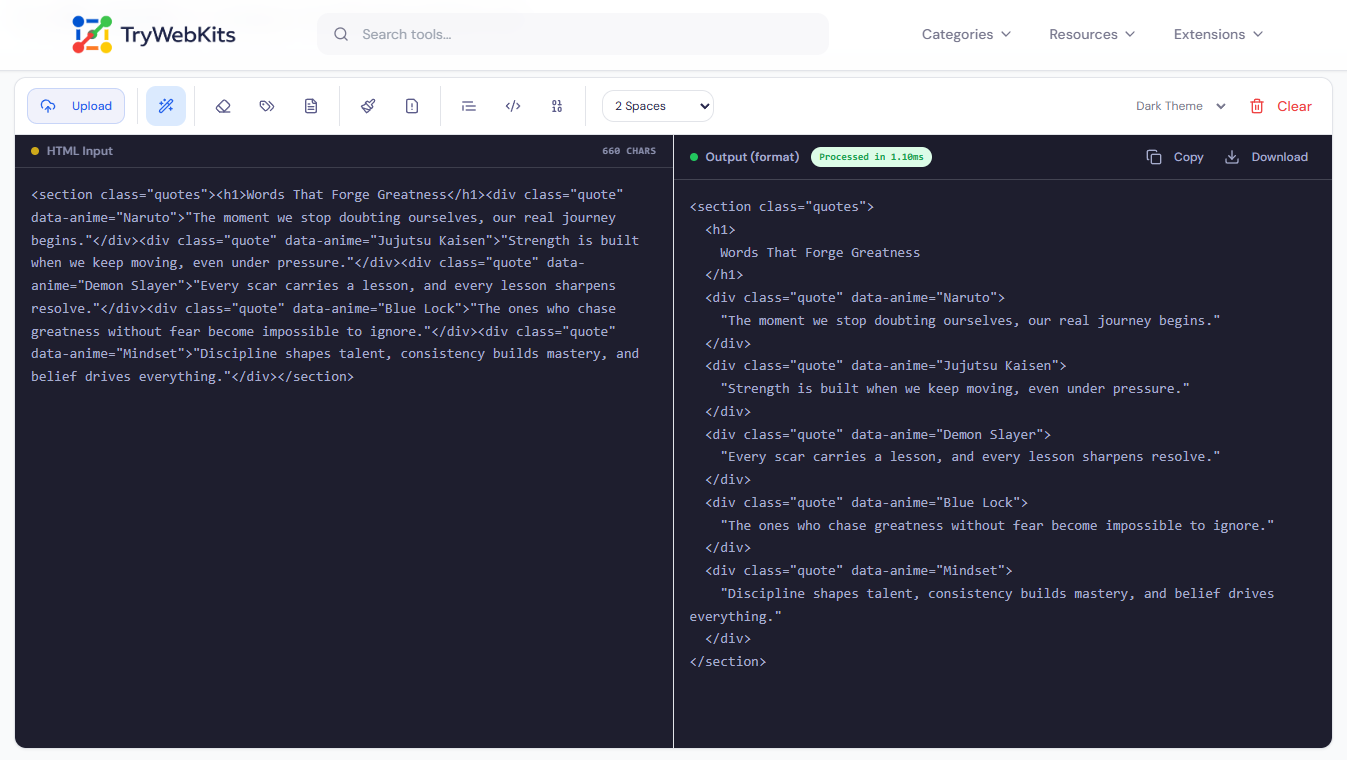
This is a free online html formatter and html beautifier online that converts cluttered, compressed, or poorly structured HTML into properly indented, readable markup. Whether the source is minified page code, copied template output, or a block of unorganized markup, paste it into the input panel and the corrected result appears without clicking anything.
Beyond standard html code format, the tool covers multiple processing modes: strip HTML comments, remove inline styles and style blocks, clear script tags and event handlers, strip all tag attributes from the HTML structure, extract pure plain text from any HTML document, escape HTML entities for safe display, unescape encoded entities back to readable characters, encode content to Base64, and decode Base64 strings back into formatted HTML markup.
How To Beautify And Format HTML Snippets?
Paste HTML code and results appear immediately.
- 1
Paste or type HTML code directly into the left input panel on screen.
- 2
The right output panel updates automatically in real time as the input changes.
- 3
Click a toolbar icon to switch between modes: format, strip comments, remove styles, and more.
- 4
Use the indentation dropdown to select 2, 4, or 8 spaces per indent level.
- 5
Click the file upload icon to load an existing HTML file directly from the device.
- 6
Toggle between light and dark editor themes using the theme selector on the toolbar.
- 7
Click Copy or Download to save the formatted result as an HTML file.
- 8
Click Clear to reset both panels and work with a fresh input.
Core Features Of Our HTML Code Formatter
Explore the powerful features built into our formatter.
10 Processing Modes
One toolbar covers format, strip comments, remove attributes, extract text, escape, unescape, and Base64 encoding.
Real-Time Output
Results appear in the output panel the moment HTML is pasted or typed, no manual trigger required.
Style & Script Removal
Clears style blocks, inline styles, script tags, and inline event handlers from any HTML input in one step.
Adjustable Indentation
Set indentation to 2, 4, or 8 spaces per level to match any preferred coding standard.
File Upload & Download
Load an HTML file directly from the device and download the processed output as a file.
Private Processing
No HTML data is ever sent to a server; all operations run locally on the device inside the browser.
Know More About This Tool
Yes. The formatting engine recognizes all standard HTML void elements and does not expect closing tags for them, so indentation stays accurate throughout.
No. A dedicated html minifier tool on this site handles compression. This formatter focuses entirely on readability, cleaning, and proper code structure.
The tool processes whatever is parseable and returns the best result it can. If the input is entirely unreadable, an error message appears in the output panel.
Yes. An execution timer appears in the output panel header after each operation, displaying the exact number of milliseconds the processing took to complete.
Standard HTML markup processes correctly. Non-HTML syntax, such as JSX expressions, Handlebars placeholders, or Angular directives, may not indent as expected.
Yes. After decoding, the result is automatically run through the formatter so the final output is structured, indented, and immediately readable.
You May Also Like

XML Formatter & Validator
Format, validate, beautify, and minify XML data online with syntax checking and structured output.

JSON Formatter & Validator
Format, validate, beautify, and analyze JSON data online with readable structure and syntax checking.

HTML Code Minifier
Compress, obfuscate, and minify your HTML code. Reduces file size by removing whitespace, comments, and unneeded characters.

Text Compare Online
Compare texts or files with our side-by-side diff checker.

Text Case Converter
Convert text between uppercase, lowercase, title case, and more

Regex Tester & Generator
Test, generate, and debug regular expressions with real-time matching.
