Text to Handwriting Converter v 0.1
Convert typed text into natural-looking handwritten pages. Supports English, Spanish, Hindi, Punjabi, Arabic, and all European scripts.
About this Tool
A Text to Handwriting Converter is a web-based tool that turns typed text into realistic, handwritten-style notes or documents. Whether you're creating personalized letters, designing creative projects, or preparing handwritten notes for academic assignments or professional purposes, this tool can help you generate natural-looking handwriting with just a few clicks.
Global Language Support
How Does This Tool Work?
Using our Text To Handwriting tool is simple and intuitive. Follow these steps:
Start Typing Your Text
Begin by typing the text directly onto the paper as it appears on your screen.
Preset Configuration Ready
By default, the tool comes pre-configured with a preset paper background and A4 page size, making it easy to use without any extra setup.
Customize Everything
If you'd like to personalize the output, you can customize various aspects such as the handwriting font, ink color, spacing, and more.
Change Paper Background
You can also change the paper background by clicking the "Drag and Drop Paper" button and uploading your preferred image or design.
Live Updates
All your changes happen instantly, so you can see the updated version right away in the preview.
Download Your Document
Once you're satisfied with how everything looks, download your handwritten document in Image format (PNG).
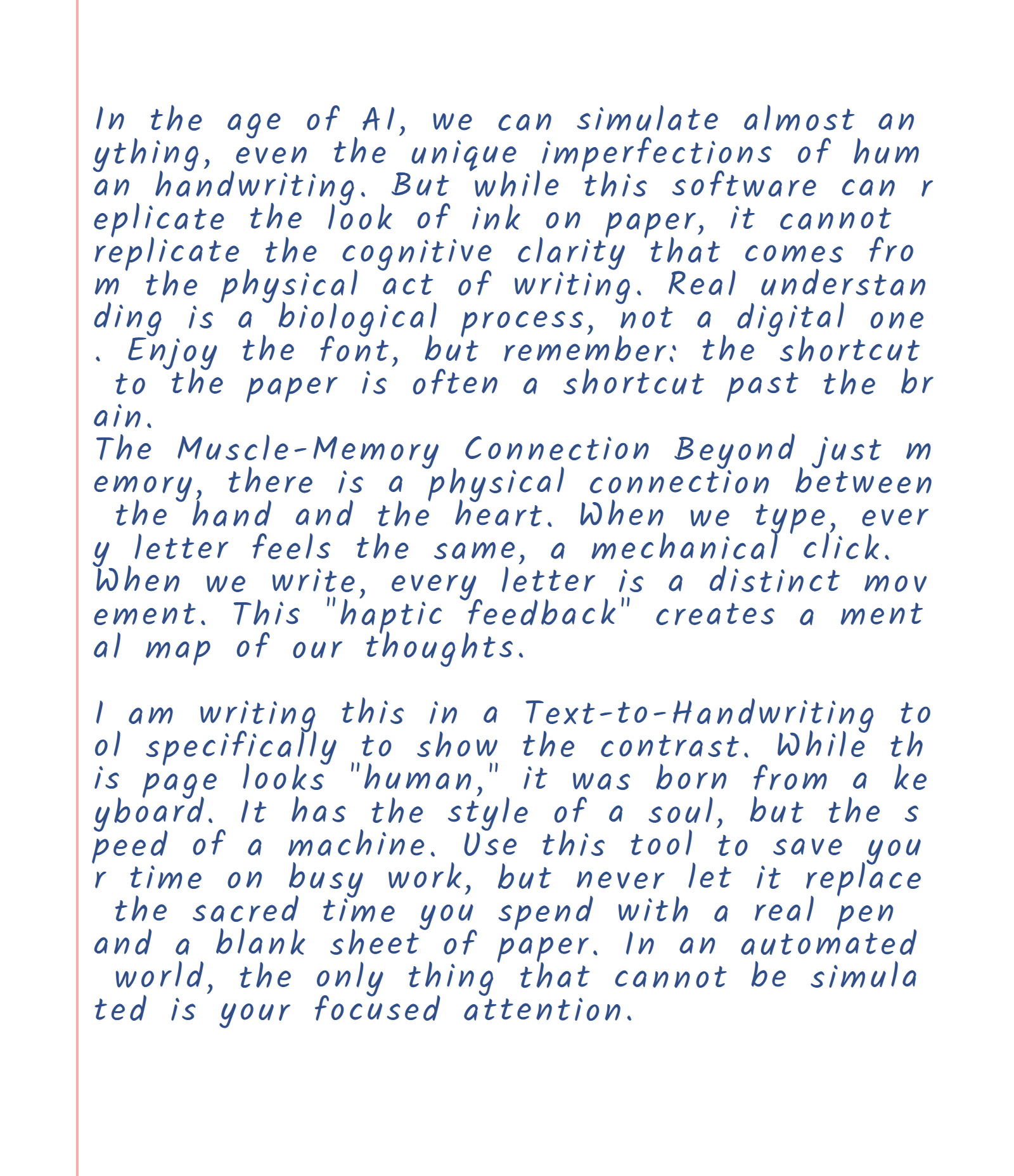
Best Practices For Using The Text To Handwriting Tool
To get the most visually appealing handwritten output, follow these simple tips:
Keep It Simple
Avoid overloading the document with too many effects or customizations. Sometimes, simplicity produces the most elegant results.
Adjust Spacing for Readability
Pay attention to word and letter spacing to ensure the text is easy to read and visually appealing.
Limit Long Paragraphs
Break text into shorter sections to maintain a natural handwritten flow.
Use Natural Effects
Use light fading effects to make the handwriting look more natural, like real ink on paper.
Why Choose Us?
Our Text to Handwriting Converter stands out with advanced features designed for authenticity, ease of use, and customization.
Quick and Easy to Use
No complex setup required. Start typing immediately with pre-configured A4 pages and realistic handwriting styles.
Realistic Handwriting Simulation
Advanced variation engine creates natural-looking handwriting with character-by-character randomization for authentic results.
Customizable Appearance
Choose from 15+ handwriting fonts, 15+ paper styles, custom colors, spacing, and margins for complete control.
Custom Font Upload
Upload your own paper designs, notebook backgrounds, or custom images to personalize your handwritten output.
Choose Your Pen Color
Select from multiple ink colors including blue, black, red, green, purple, and custom color options.
Fully Customizable
Fine-tune every aspect of your handwriting including font size, opacity, line height, and word spacing.
Upcoming Features
We're always improving ourselves with new features for a better experience. Here's what's coming soon:
More Realistic Handwriting Styles
Expanding our collection with even more authentic handwriting styles including cursive, print, and specialty fonts.
Add Diagrams and Shapes
Easily insert diagrams, shapes, arrows, and visual elements for creative projects and technical documentation.
Create Tables and Structured Grids
Build organized tables, data grids, and structured formats for better formatting and professional presentations.
Support for Math Equations
Render mathematical equations and formulas perfectly for academic handwriting, STEM assignments, and scientific notes.
Frequently Asked Questions
Our Text to Handwriting Converter is perfect for creating authentic-looking handwritten assignments, notes, and essays. Simply type your content and customize it to match your preferred handwriting style.
You can download your handwritten documents as PNG images with high-quality 2x pixel density rendering. These are perfect for printing or digital submission.
Yes! Our tool supports multiple languages including English, Hindi, Punjabi, Tamil, French, German, and Japanese. All fonts are optimized for UTF-8 character sets.
For best results, export one page at a time. Each page has a limited amount of text, similar to a real notebook page, ensuring clean layout and proper handwriting alignment.
All processing happens in your browser. We never store or send your text to any external servers. Your privacy is our priority.
