Glitch Text Generator (Zalgo Text)
Turn normal text into creepy, corrupted glitch text in real time. Control the chaos with intensity sliders, then copy and paste it anywhere: Instagram, Discord, TikTok, games, and more.
Tip: some apps trim heavy glitch marks. If your text looks cut off after pasting, lower the intensity and copy again.
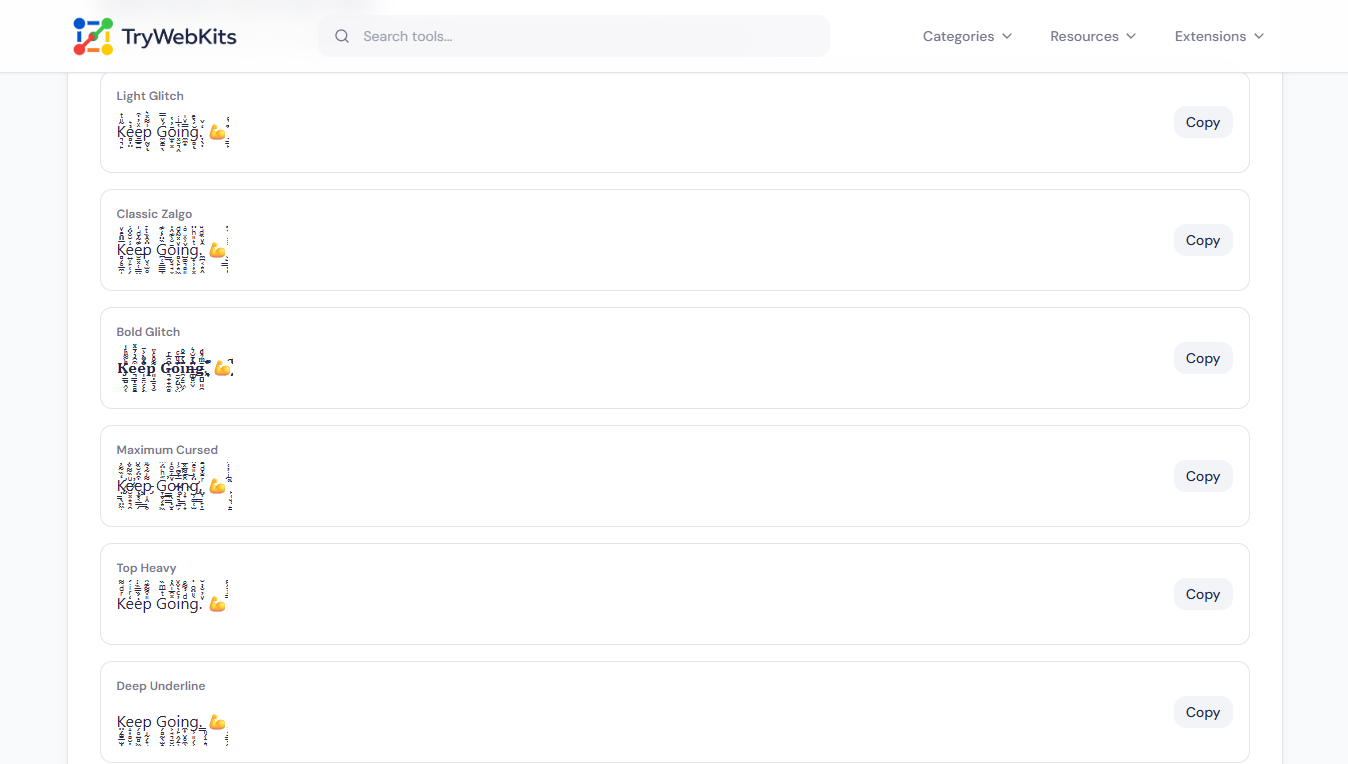
Quick Styles: One-Click Copy
The same text in six ready-made glitch styles, including a bold version. Tap Copy on the one you like.
What Does This Glitch Text Generator Do?
This glitch text generator turns normal typing into corrupted, creepy glitch text, also called zalgo text. It works by stacking Unicode combining marks above, through, and below every letter, so a plain word starts leaking symbols in three directions. Three sliders decide how heavy each direction gets, and the preview redraws while typing. The result stays real text, not an image, so it drops into Instagram bios, Discord names, TikTok captions, game tags, and comment boxes. Everything runs inside the browser on the current device. No account, no upload, no cost, no watermark.
How To Make Glitch Text In Six Steps?
Making glitch text here takes six short steps, nothing more.
- 1
Add The Text: Type or paste a word, name, or sentence into the input box.
- 2
Pick A Preset: Choose Light, Classic, or Cursed to set the glitch level instantly.
- 3
Adjust The Sliders: Move Top, Middle, and Bottom marks until the corruption looks right.
- 4
Reroll The Pattern: Press Randomize for a fresh mark layout on the same words.
- 5
Check The Preview: Read the output panel to confirm the glitch letters stay legible enough.
- 6
Copy And Paste: Hit Copy, then paste the glitch text into any app or profile.
See it in Action
Watch how to create glitch text in seconds.
Features That Give Full Control Over The Glitch
Each control here solves a real formatting problem, not a decorative one.
Three Direction Sliders
Top, middle, and bottom marks move separately, so chaos leans exactly where wanted.
Live Output
The glitch font updates with every keystroke and slider move, without any submit button.
Six Quick Styles
Ready-made variations sit below the editor, each with its own one-click copy button.
Bold Glitch Text
Bold uses real Unicode letters, so the weight survives pasting into bios and chat.
Saved Slider Levels
The chosen intensity is remembered on the device, so the next visit starts ready.
Reliable Copy Support
Copying still works in older mobile browsers and in-app webviews with limited clipboard access.
Why This Beats Building Glitch Text By Hand?
Stacking these characters manually is slow, messy, and hard to repeat.
No Character Hunting
Pasting accent marks one at a time takes minutes; a full sentence takes seconds.
Repeatable Look
Presets and saved levels return the same style later, instead of random guesswork every time.
Nothing Leaves Device
Text is never uploaded or logged, unlike converters that process input on a server.
Fits Every Screen
Sliders, buttons, and output behave the same on phone, tablet, laptop, and desktop.
Questions People Ask Before Pasting
Roblox filters many combining marks, so heavy settings often get rejected. A light glitch text generator setting usually passes, though results differ between usernames and chat.
Not here. A zalgo text translator would have to strip every mark individually, and retyping the original word is far quicker than that.
The box accepts up to 1,000 characters at once. Longer writing can be glitched in parts and joined together after pasting.
Marks are chosen at random for each character, so no two generations match exactly, even when the intensity settings stay untouched.
Often not. Stacked marks are read aloud as noise, so heavy glitch writing suits captions and usernames more than important labels.
The generated text disappears when the tab closes. Pasting one copy into a notes app keeps that exact glitch word for later reuse.
You May Also Like

Instagram Long Comment
Copy viral, infinite-scroll vertical comments to prank friends in Instagram comments section.

Instagram Story Generator
Create a realistic Instagram story mockup from the viewer or owner side and export as an image.
Tier List Maker
Drag-and-drop tier list creator for videos and posts: rename, recolor, and then export as an image.

Invisible Character
Copy and paste blank text and invisible character for Instagram, games, and more.
Upside Down Text Generator
Flip text upside down or reversed for social posts, comments, and informal content.

Stylish Game Name Generator
Generate unique usernames for PUBG, COD, and more.
