Image To SVG Converter
 Image To SVG Converter
Convert PNG, JPG, WebP, GIF, and other images into scalable SVG vectors that stay consistent at any size and are easy to edit.
Images are converted on this device and never uploaded to any server.
About This Tool
This free image to SVG converter works right in the browser. It traces PNG and JPG images into SVG shapes with no software to install and no account to create, so converting can begin right away. Nothing has to be redrawn by hand, because the shapes are found automatically.
An SVG version of a logo, icon, or signature is useful for print, web design, and cutting machines. Tracing works best on images with clear shapes and solid colors. Each SVG image keeps the name and the size of its original image, so finished images are easy to find and use.
How To Convert An Image To SVG Online?
Turn PNG and JPG images into SVG images with a single click.
- 1
Press Select Images, or drop PNG, JPG, or WebP images onto the converter.
- 2
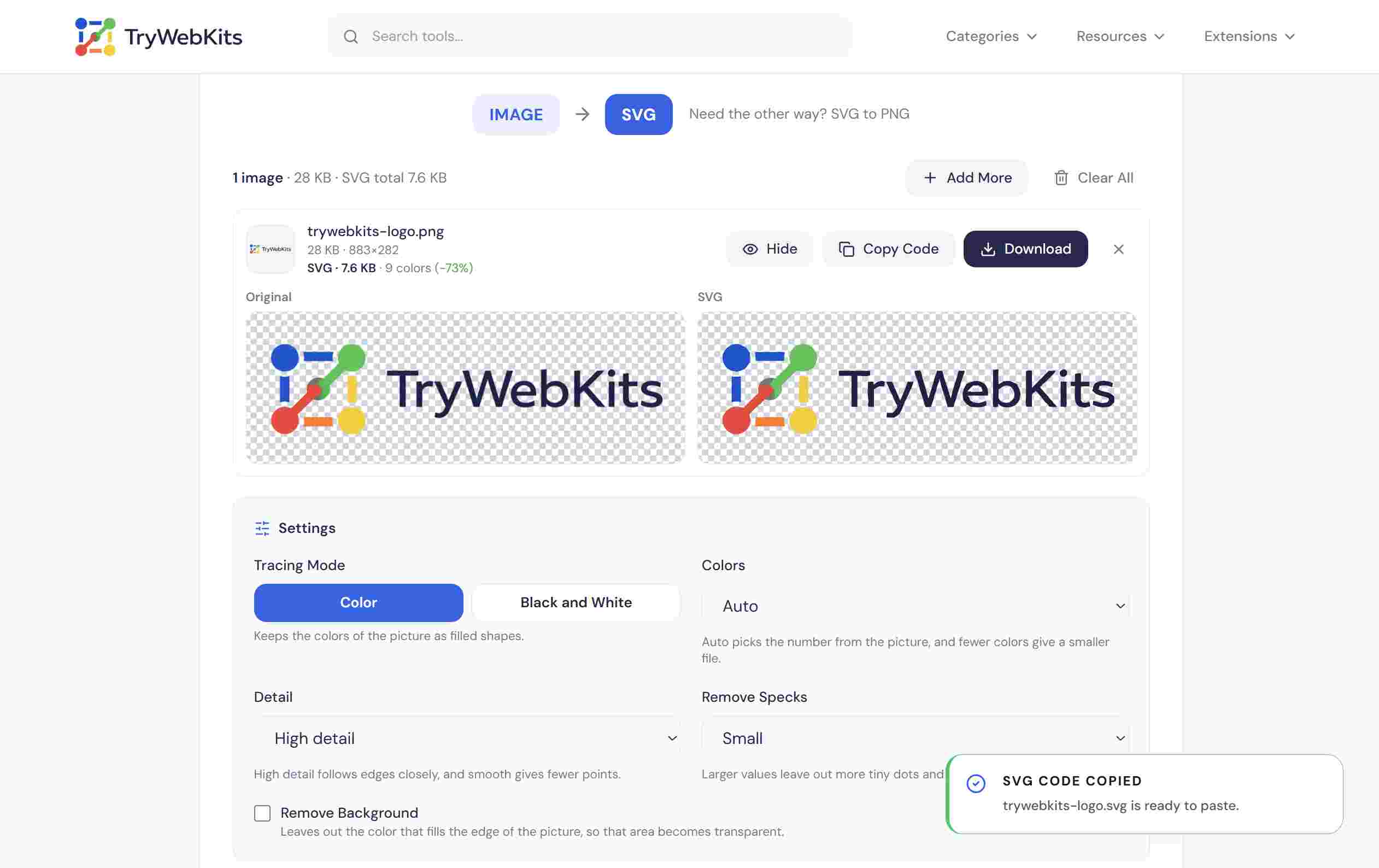
Choose Color to keep the original colors, or Black and White for one solid shape.
- 3
Adjust the colors or threshold, the detail level, and how many small specks to remove.
- 4
Press Convert, check the result with Preview, then press Download or Download All (ZIP).
See It In Action
Watch a short guide to turning an image into an SVG.
How This Image To SVG Converter Works?
Each image is reduced to a few colors, then traced into shapes. The outlines are smoothed and fitted with curves.
Small images are enlarged before tracing for smoother edges, and very large ones are reduced to keep tracing fast. Changing a setting later makes finished images ready to trace again, so every SVG in a batch matches.
Images Stay Private
Every image is traced inside the browser and never sent to any server.
PNG And JPG Vs. SVG: What's The Difference?
These two kinds of images are built differently, so tracing is needed.
| Feature | PNG And JPG | SVG |
|---|---|---|
| Full Form | Portable Network Graphics and Joint Photographic Experts Group | Scalable Vector Graphics |
| Type | Built from a grid of pixels | Built from shapes and curves |
| Scaling | Gets blurry when enlarged | Stays sharp at any size |
| File Size | Grows as the image gets bigger | Grows with the number of shapes |
| Editing | Edited pixel by pixel | Shapes and colors can be changed |
| Transparency | PNG supports it, JPG does not | Supported |
Features Of This Image To SVG Converter
Color tracing, detail control, and a side-by-side preview in one place.
Color Tracing
Keep the original colors as filled shapes, with up to 32 colors.
Black And White
Turn signatures, stamps, and line art into one black shape, with a Threshold slider.
Detail Control
Choose the detail level and remove tiny specks to balance sharpness and file size.
Transparent Backgrounds
Transparent areas stay clear, and the plain color around the edge can be removed.
Side-By-Side Preview
Compare the original and the traced SVG next to each other before saving.
Batch And ZIP
Trace many images in one run and save the SVG images together as a ZIP.
What Sets Our Tool Apart?
Four details that keep every traced SVG clean and sharp.
True Vector Paths
Every shape becomes a real path, not a PNG hidden inside an SVG.
Crisp Corners
Sharp corners stay sharp and curves stay smooth, even on a slightly blurry image.
Gap-Free Colors
Neighboring colors overlap slightly, so no thin gaps show between shapes in the SVG.
Clean Edge Colors
Blurry edge pixels do not turn into extra colors, so outlines stay clean.
Frequently Asked Questions
PNG, JPG, WebP, GIF, BMP, and AVIF images work, along with any other image format the browser can open.
Yes. A photo is traced into many small shapes, so its SVG can become large.
Tracing replaces gradients, shadows, and fine texture with flat areas of color, and photos show this the most.
Auto is a good start. More colors and High detail look closer to the original, while fewer colors make a smaller SVG.
Yes. Copy Code puts the full SVG code on the clipboard, ready to paste into a web page or a design tool.
Yes. SVG to PNG saves an SVG as a PNG image, and PNG to JPG can turn that into a JPG.
Up to 10 images can be converted in one batch, each up to 25 MB. A larger set can be done in several rounds.
You May Also Like

Image Background Remover
Remove backgrounds from images online with AI assistance.

Image Compressor and Resizer
Reduce image size and resize photos quickly without losing quality.

EXIF Data Viewer
Extract GPS location, camera settings, timestamps, and all metadata from photos and videos. Privacy scanner included!