WebP To JPG Converter
 WebP To JPG Converter
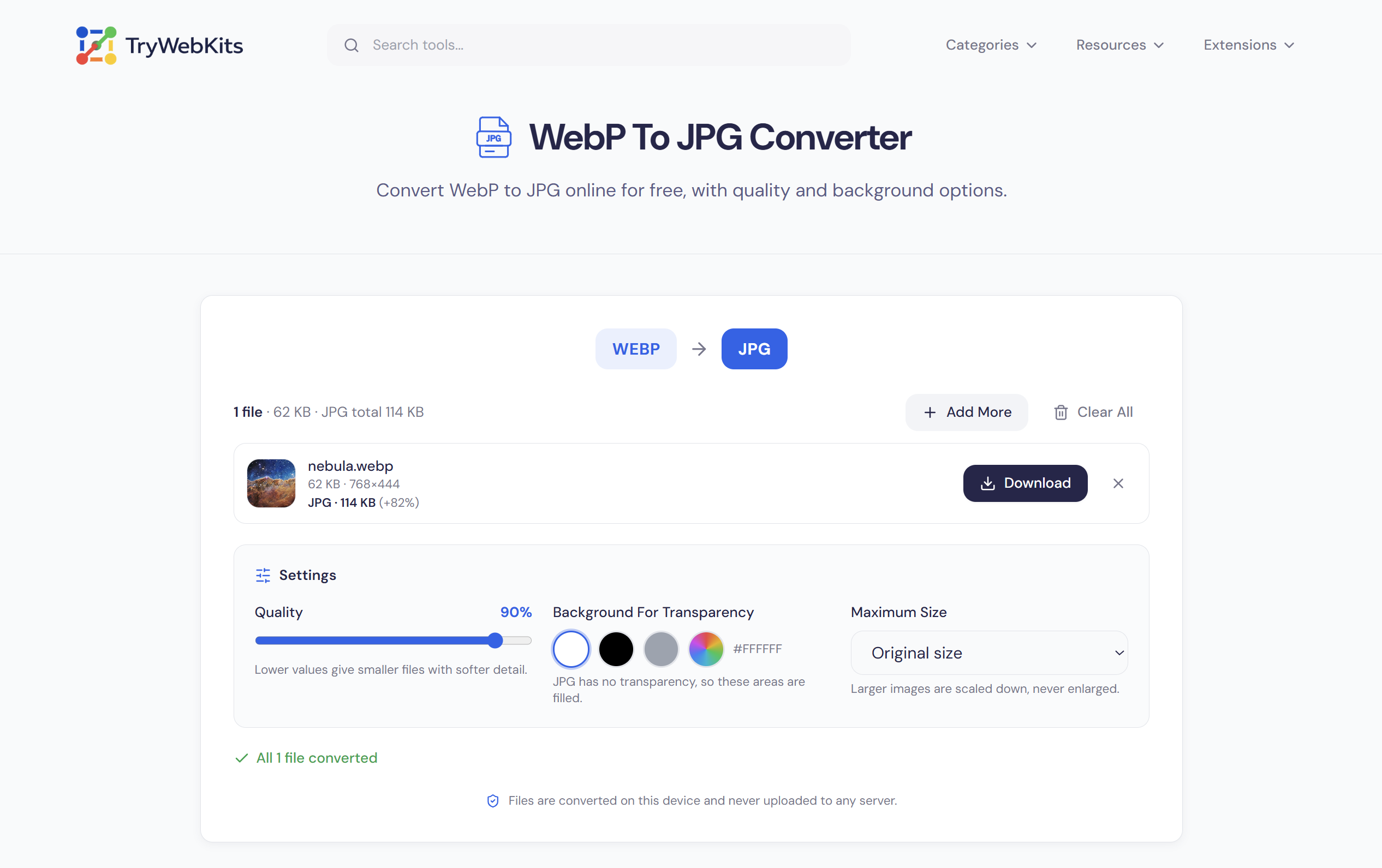
Convert WebP to JPG online for free, with quality and background options.
Files are converted on this device and never uploaded to any server.
About This Tool
WebP is an image format used by many websites to keep pictures small. Some apps and upload forms still do not accept it. This free tool makes it easy to convert WebP images to JPG in just a few clicks. No account is needed, and no watermark is added.
Choose the image quality and background color before converting. Each converted image keeps its original name and can be downloaded separately or all together in a ZIP. The original WebP file remains unchanged.
How To Convert WebP To JPG?
Turn WebP images into JPG files in four short steps.
- 1
Press Select Files, or drop WebP images onto the converter, to add them.
- 2
Move the Quality slider, then choose a background color and a Maximum Size if needed.
- 3
Press Convert and watch each row until its size and percentage change appear.
- 4
Press Download for one file, or Download All (ZIP) to save every JPG together.
How This WebP To JPG Converter Works?
The tool opens each WebP image in the browser and saves it again as a JPG at the chosen quality.
Images are converted one by one, and a file that cannot be read is marked on its own row while the rest carry on. Cancel stops the batch after the current image.
Privacy First
Images stay on the device, handled directly in the browser without being sent to any server or website.
WebP Vs. JPG: What's The Difference?
Each format has strengths, and the differences explain what changes during conversion.
| Feature | WebP | JPG |
|---|---|---|
| Origin | Released by Google in 2010 | Introduced in 1992, also called JPEG |
| Compression | Lossy or lossless | Lossy, with an adjustable quality level |
| Transparency | Supported with an alpha channel | Not supported |
| Animation | Supported | Not supported |
| File Size | Often smaller at similar quality | Often larger at similar quality |
| Compatibility | Modern browsers, but not every older app | Opens almost everywhere |
Features Of This WebP To JPG Converter
Quality control, backgrounds, resizing, and batch handling in one place.
Batch Conversion
Add many images at once and get a JPG for each WebP in one run.
Quality Control
Choose how sharp or how small the JPG should be with a single slider.
Background Colors
Pick white, black, gray, or any brand color to fill the see-through parts.
Resize While Converting
Cap the longest side from 800 to 4096 pixels for lighter pictures, with no stretching.
Thumbnail Previews
Every image appears as a small thumbnail with its file size and dimensions.
Safe File Names
Two pictures with the same name never overwrite each other inside the ZIP.
Clear File Checks
Files that are not WebP, empty, or too large are skipped with a clear message.
Matching Results
Changing a setting resets finished files, so every JPG in a batch matches.
Drag And Drop
Drag images onto any part of the converter, and a highlight shows where to release.
Frequently Asked Questions
Yes, slightly. JPG is a lossy format, so some fine detail is discarded, and a higher quality setting keeps more of it.
JPG cannot store transparency, so transparent pixels are filled with the chosen background color. White is the default.
JPG cannot hold animation, so an animated WebP is saved as a single still image.
No exact file size can be set. Lowering the quality or the maximum size shrinks the file, so a few trial runs find the balance.
Up to 25 WebP files per batch, each up to 50 MB. Larger sets can be converted in several rounds.
No Photoshop, IrfanView, app, or download is needed, only a browser that can open WebP images.
No, only WebP files from the device can be added, so a picture from a web page must be saved first.
Yes, the two names mean the same format. The files are saved with the .jpg extension.