MP4 To WebM Converter
 MP4 To WebM Converter
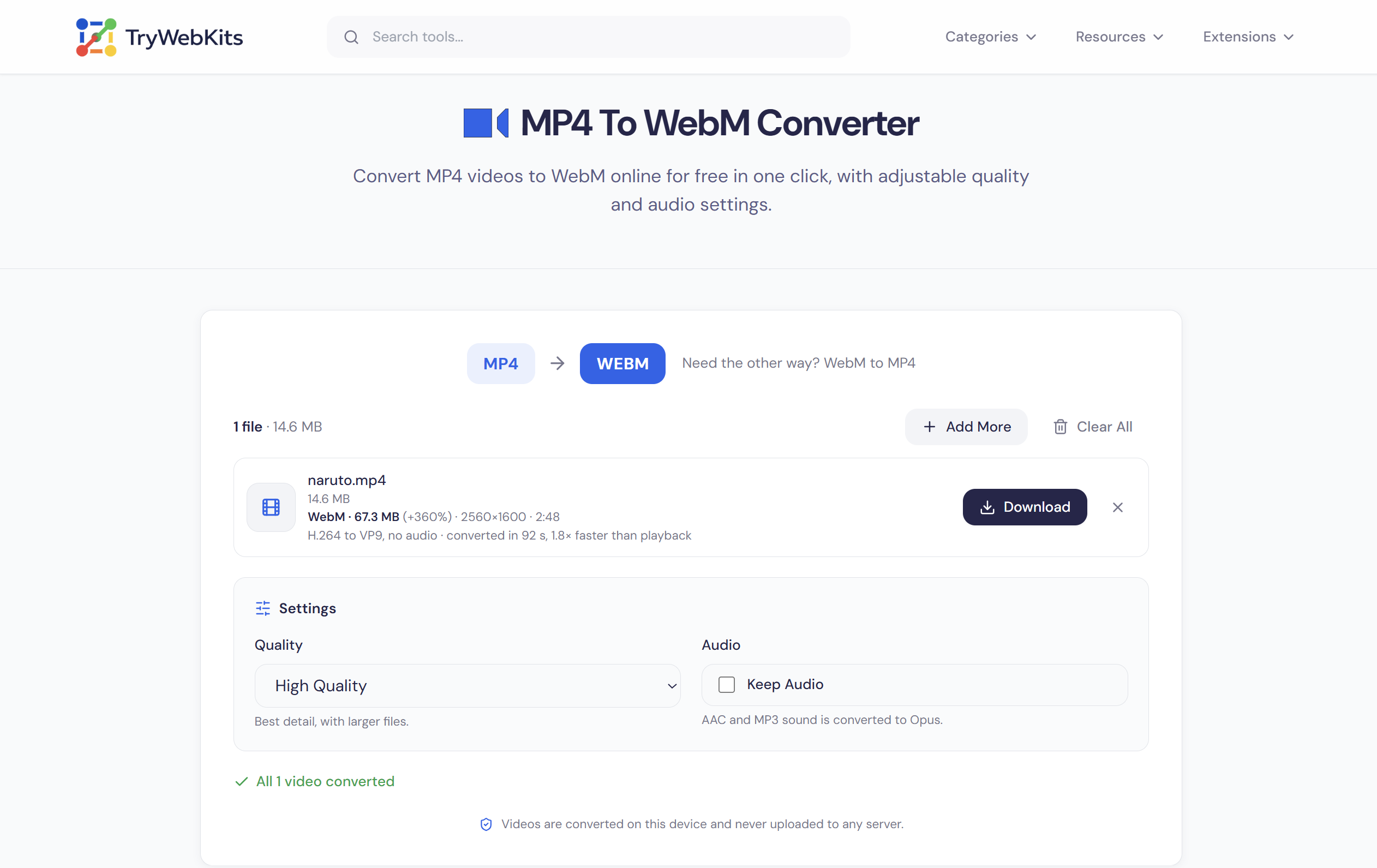
Convert MP4 videos to WebM online for free in one click, with adjustable quality and audio settings.
Videos are converted on this device and never uploaded to any server.
About This Tool
WebM is a video format designed for the web. It works in modern browsers without requiring extra software. This free tool makes it easy to convert MP4 videos to WebM in just a few clicks. No account is needed, and no watermark is added.
Choose the video quality and sound settings before converting. Each converted video can be downloaded separately. The original MP4 file remains unchanged.
How To Convert MP4 To WebM?
Turn MP4 videos into WebM files in four short steps.
- 1
Press Select Files, or drop MP4 and M4V videos onto the converter, to add them.
- 2
Choose Smaller File, Balanced, or High Quality, then tick or clear the Keep Audio box.
- 3
Press Convert and follow the percent, speed, and time left shown on each progress bar.
- 4
Check the size change shown for each file, then press Download to save the WebM.
How This MP4 To WebM Converter Works?
The tool opens each MP4 in the browser, reads the picture and the sound, and saves them again as a new WebM file. This step is called converting, or transcoding.
Bigger videos take a little longer, and each finished WebM stays ready to download until it is removed or the page is closed.
Privacy First
Videos stay on the device, handled directly in the browser without being sent to any server or website.
Features Of This MP4 To WebM Converter
Batches, phone clips, sound, and clear results, all handled in one place.
Upright Phone Videos
Portrait clips from a phone come out upright instead of lying on their side.
Cancel Anytime
Stop a running batch at any time, and videos already finished stay ready to download.
Batch Conversion
Line up several videos and they convert one after another without any extra clicks.
Problems Stay Contained
A file that cannot be converted shows its reason while the rest carry on.
Audio Never Blocks
A sound problem never stops the conversion: the video is saved with a short note.
Easy Scrubbing
Finished videos jump to any moment in a player, with the full length shown.
Result Details
Every finished row lists the picture size, length, and formats used, plus the conversion time.
Recorder Files Welcome
Clips from screen recorders and browser recordings convert as well as regular MP4 files.
Original Names Kept
Each WebM keeps the name of its MP4, so files stay easy to find.
Frequently Asked Questions
Yes, some detail can be lost. The High Quality preset keeps the difference smallest.
Each preset targets a bitrate set by picture size and frame rate. Smaller File usually gives a smaller file, while High Quality can enlarge a compact MP4.
No, both stay as recorded, apart from an odd width or height losing one pixel. Resizing, trimming, and changing the frame rate are not available.
Recent Chrome and Edge on a computer work best. Other browsers may not support video conversion, and the page shows a notice when that happens.
No app, program, or download is needed. VLC, FFmpeg, and HandBrake are not required, only a supported browser.
Up to ten files per batch, each up to 2 GB. Files over the limit are skipped with a message.
No, renaming only changes the extension. The file is still an MP4 inside, and many apps and upload forms reject it.
Current Chrome, Edge, Firefox, and Safari play WebM, though older versions may not, so keep the original MP4 as a fallback.
You May Also Like

Video Compressor Online
Reduce video file size quickly without losing quality for faster sharing and uploading.

Video To GIF Converter
Convert videos to GIFs quickly. Add watermark, text, crop, and adjust frame rates.

Video Background Remover
Remove or replace any video background for free, online with no watermark.

Image to GIF Converter
Convert Images into a high-quality GIF. Arrange frames, add watermark, text, and adjust speed.

EXIF Data Viewer
Extract GPS location, camera settings, timestamps, and all metadata from photos and videos. Privacy scanner included!

LinkedIn Post Generator
Create a realistic LinkedIn post mockup and download it as an image.