AVIF To JPG Converter
 AVIF To JPG Converter
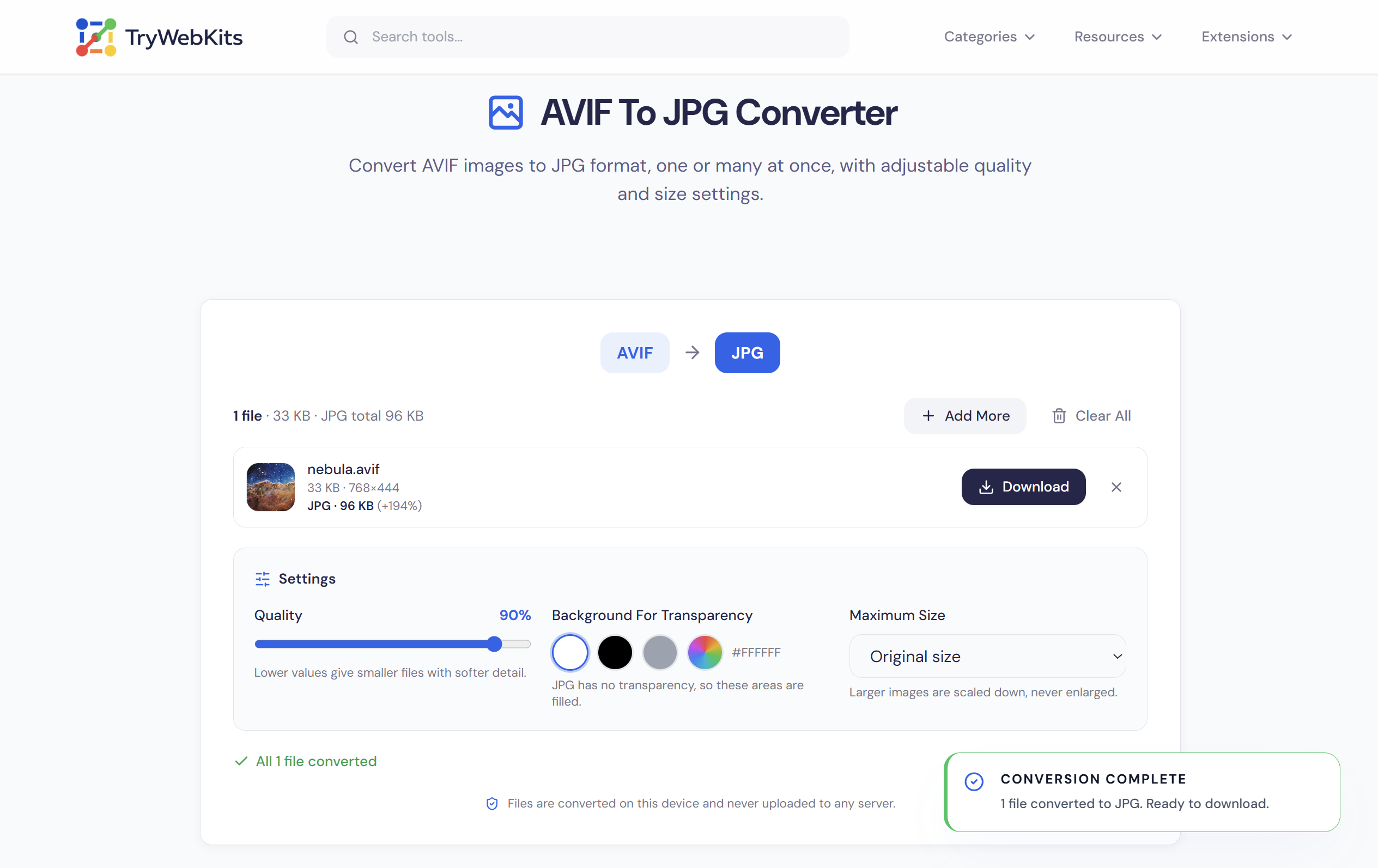
Convert AVIF images to JPG format, one or many at once, with adjustable quality and size settings.
Files are converted on this device and never uploaded to any server.
About This Tool
This free AVIF to JPG converter works right in the browser. It turns AVIF images into JPG images with no software to install and no account to create, so converting can begin right away.
AVIF is a newer image format that many websites now use, so images saved from the web often end up as AVIF images. A JPG image is a more practical choice for email, documents, social media, and printing. Each JPG image keeps the name of its AVIF image and, by default, the same width and height, so the finished images are easy to find and use.
How To Convert AVIF To JPG Online?
Turn AVIF images into JPG images with a single click.
- 1
Press Select Files, or drop AVIF images onto the converter.
- 2
Move the Quality slider, then set a background color and Maximum Size.
- 3
Press Convert and watch each row until its JPG image is ready.
- 4
Press Download for one image, or Download All (ZIP) to save every JPG image together.
How This AVIF To JPG Converter Works?
The browser opens each AVIF image and saves a matching JPG image. The settings chosen apply to every image in the batch.
Images are converted one after another, and each row shows its own progress. Changing a setting later makes finished images ready to convert again, so every JPG image in a batch matches.
Images Stay Private
Every image is converted inside the browser and never sent to any server.
AVIF Vs. JPG: What's The Difference?
Each format has strengths, and a few differences show up after converting.
| Feature | AVIF | JPG |
|---|---|---|
| Full Form | AV1 Image File Format | Joint Photographic Experts Group |
| Origin | Introduced in 2019, based on video technology | Introduced in 1992, also called JPEG |
| Transparency | Supported | Not supported |
| Animation | Supported | Not supported |
| Colors | Wide range, including HDR | Standard range |
| File Size | Often smaller at similar quality | Often larger at similar quality |
| Compatibility | Recent browsers, but not every app | Opens almost everywhere |
Features Of This AVIF To JPG Converter
Quality control, a background color, and a ZIP download in one place.
Batch Conversion
Add many AVIF images at once and get a JPG image for each one.
Quality Slider
Pick any quality from 10 to 100 percent with one simple slider.
Background Color
Choose white, black, gray, or any custom color for the clear areas.
Resize Option
Scale big images down to a set size, while small ones are never enlarged.
Size Comparison
Every converted image shows its new size and how much smaller or larger it became.
ZIP Download
Save each image on its own, or all images together in a single ZIP file.
Drag And Drop
Drop images anywhere on the converter, and a highlight shows where to release.
Thumbnail Previews
Every added image appears as a small preview with its width and height.
Stop Anytime
End a running batch with one click, and finished images stay ready to download.
Frequently Asked Questions
Slightly. JPG drops a little fine detail when saving. The Quality slider starts at 90, which suits most images.
They are filled with the chosen background color, white by default.
Only a single still image is saved from the animation.
No. Renaming changes only the name, and many apps still cannot open the image. Converting makes a real JPG image.
Lower the Quality value or pick a smaller Maximum Size. An exact size cannot be set, so a few trial runs help.
The image may be damaged, or the browser may be too old to open AVIF. A recent Chrome, Edge, Firefox, or Safari works.
Up to 25 AVIF images can be converted in one batch, each up to 50 MB. A larger set can be done in several rounds.
You May Also Like

Image Background Remover
Remove backgrounds from images online with AI assistance.

Image Compressor and Resizer
Reduce image size and resize photos quickly without losing quality.

Video Background Remover
Remove or replace any video background for free, online with no watermark.