Text to PDF Converter
Write or paste your text, style it your way, and turn it into a polished PDF, completely private.
- Headings, fonts, sizes, colors, and links.
- Paste formatted text and screenshots.
- Your content never leaves your device.
Your document is converted on your device and never uploaded.
Your writing becomes a polished PDF
About This Tool
The Text to PDF Converter is a simple writing tool that turns words into a finished PDF document. Content can be typed straight in or brought in from elsewhere, then arranged until it reads well, and saved as a single file. It fits everyday jobs such as sending a formatted letter, saving an article to read later, drafting a one-page invoice, or sharing tidy notes with a team.
The finished file is an ordinary PDF, so the layout stays exactly as arranged, and any PDF reader can open it. Most documents are ready moments after the final edit.
How To Convert Text To PDF?
Turning written text into a PDF takes just a few steps.
- 1
Type the text directly, or bring in content from a document or the web.
- 2
Format it with the toolbar until the layout looks right.
- 3
Pick A4 or Letter, then name the file.
- 4
Click Create PDF to download the finished document.
Key Features In The Text To PDF Editor
Each control exists to shape how the finished page looks.
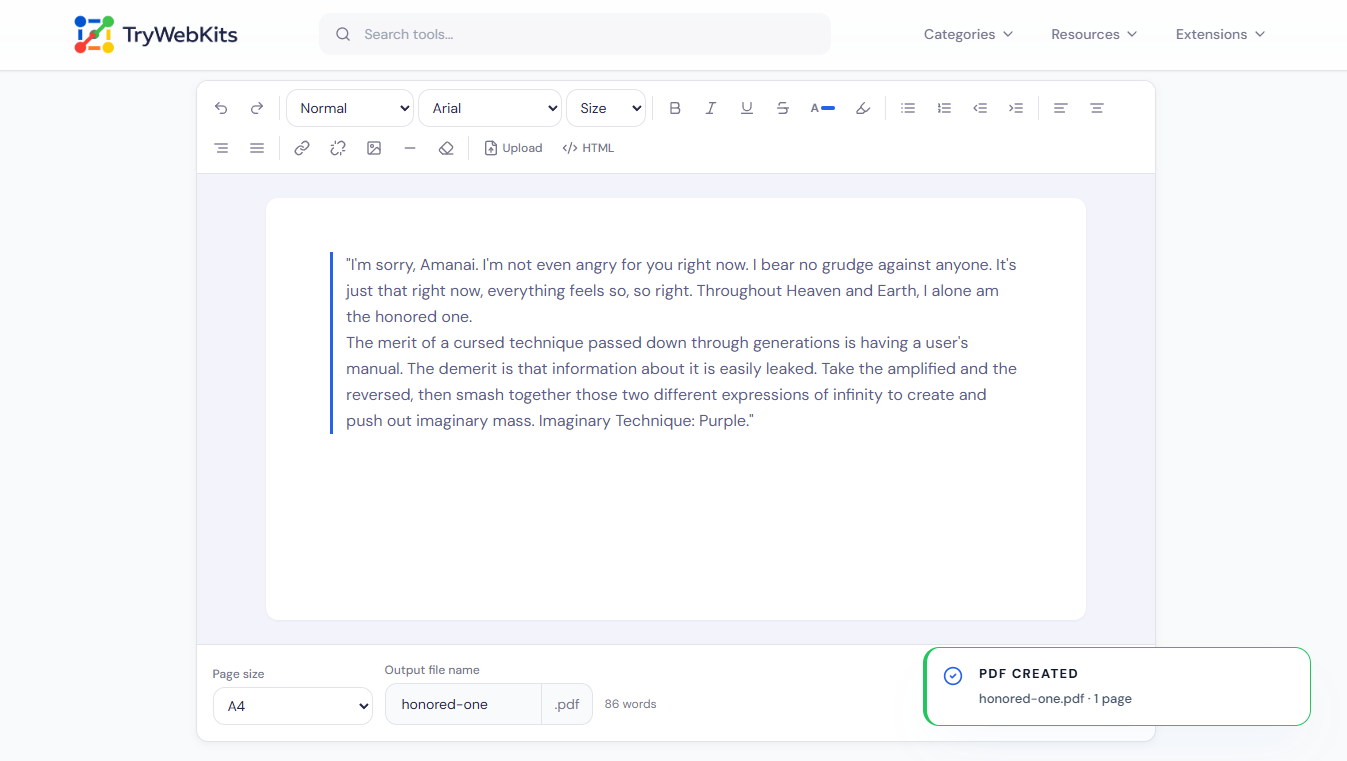
Full Text Editor
Headings, fonts, sizes, colors, highlight, lists, indentation, and alignment all sit in one toolbar.
Keeps Pasted Styling
Paste from Word, Docs, or a web page and the original formatting carries over.
Images And Screenshots
Insert a picture file, or paste a screenshot straight from the clipboard into the page.
Built-In HTML View
Open the source view to read pasted markup, check link addresses, or edit by hand.
Import Text Files
Drop in a .txt or .html file, keep editing, then export it as a PDF.
Multi-Page Layout
Long content flows across as many pages as needed, breaking cleanly between them.
Why Use This Over Manual Methods?
Building a styled PDF by hand usually means juggling several apps.
No Software Needed
Everything runs in the browser, so there is no editor or exporter to install.
All In One
Writing, styling, and exporting happen together, instead of copying between a doc and a converter.
Free, No Account
No sign-up, watermark, or email is needed before the PDF can be saved.
Works Everywhere
Phones, tablets, laptops, and desktops all run the editor without any setup.
Data Security
The whole document is created on the device, inside the browser. Text, images, and styling are turned into a PDF locally, so nothing is sent to a server or saved on one. As soon as the tab is closed, the working copy is gone, with no version left online.
Having Questions About The Tool? We’ve Answers
No. Each page is saved as a high-resolution image so fonts and layout look identical, which means the text cannot be selected afterwards.
Yes. Links stay clickable in the PDF and open the same address that was set inside the editor.
Some images copied from other websites are blocked by the browser for security. Saving the image first and inserting it with the image button fixes that.
Each page uses an even, fixed margin, so the content sits neatly inside the edges with the same spacing on every page.
Yes. Everything stays editable in the page, so it can be reworded, restyled, or removed before the PDF is made.
Big images take a little longer to render into the page, though the finished PDF still keeps their full detail.
You May Also Like
Image to PDF
Combine JPG, PNG, and WebP images into one PDF, privately in browser.
Word Counter
Word and character counter with detailed text metrics.

Text Case Converter
Convert text between uppercase, lowercase, title case, and more

Metadata Editor
Edit EXIF, GPS, copyright, dates and more on JPEG, PNG and PDF files. Add unlimited custom fields.

QR Code Generator
Create QR codes for URLs, text, WiFi, and more

URL Unshortener
Instantly expand the shortened links before clicking them to protect yourself from malware and phishing.
